
Don't Want to Download a Hundreds-of-MB PDF? We Achieved Instant Online Opening with HTTP Range + Server-Side Pre-Parsing
November 3, 2026 · StreamPDF Team
Introduction
A colleague sends over a 200MB+ technical specification. You click the link, a download progress bar pops up at the bottom of your browser — and then you wait.
A PDF starting at 200MB can take a minute or two to download on an average connection; it takes up local storage once it's there, and you have to manually delete it afterward; open it on mobile and your data gets chewed through, storage fills up, and the device heats up.
Here's the question: Do you really need to download the entire file just to view a PDF?
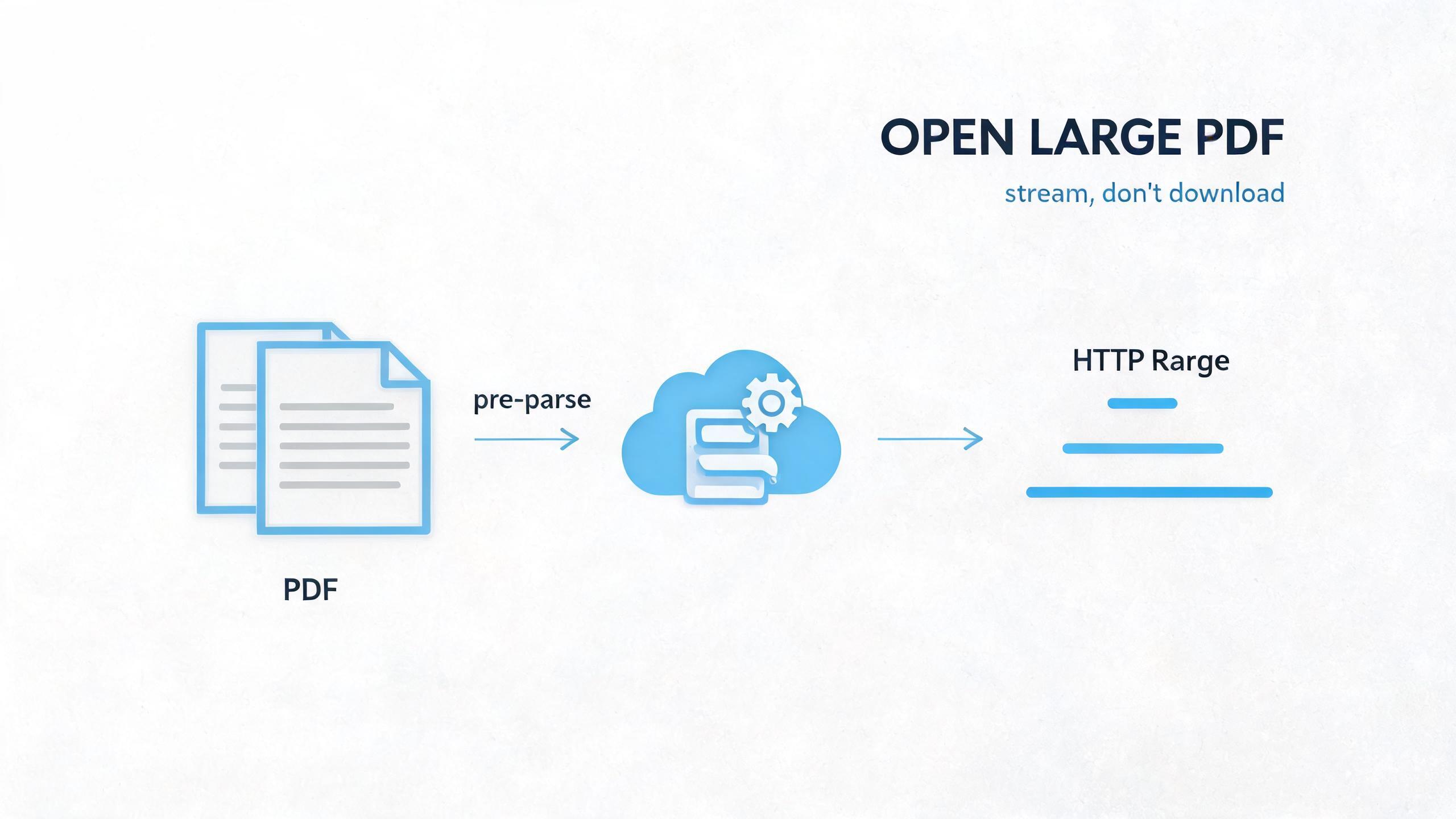
The answer is no. To achieve "opening large PDFs online without downloading the full file," two things are critical: HTTP Range requests — fetching only the bytes you need; and server-side pre-parsing of file structure — letting the browser skip scanning and jump straight to knowing where each page lives.
This article breaks down the technical principles behind both, and how StreamPDF combines them into an experience where the first screen renders in about a second and jumping to page 1000 is equally instant.

Viewer URL: https://streampdf.com/preview/pdf/06bdf815-4b97-4aff-9110-0b706987f892
1. Why "Downloading the Entire File" Is the Biggest Obstacle to Opening Large PDFs
The traditional viewer pipeline
Most desktop PDF readers and browsers' "online preview" features follow the same underlying pipeline:
Full file download → Parse entire file structure → Render first page
In other words, the first-screen time is roughly "download time + parse time." The bigger the file, the longer the download, and the slower the first screen. For a 300MB file, even if parsing only takes a few hundred milliseconds, the download alone pushes first-screen time into the minutes.
Worse, downloading is an "all or nothing" affair — you only want to see page 5, but you still pull every byte from page 1 to page 1000 down to your machine.
Even pdf.js can't avoid tail-scanning on first open
pdf.js is the most widely used PDF rendering engine on the web today, and it already supports HTTP Range requests to fetch bytes on demand. But it still has an unavoidable bottleneck.
A PDF's structural index — the xref (cross-reference table) and Pages tree — is typically located at the tail of the file. To know "which byte offset page N lives at," the parser must first read the xref at the tail, then traverse down the Pages tree to the target page.
There's an easily overlooked detail here: the so-called "request the tail to get the structure" isn't handled by a single Range request.
PDF initialization is a chain of drilling down through object references one layer at a time. pdf.js roughly goes through this process:
- Read about 1KB from the end of the file to find the
startxrefmarker, which points to the starting offset of the xref (cross-reference table). - Send a Range request at that offset to retrieve the xref. The xref maps each object number to a byte offset, but it could be a plain xref table or a compressed xref stream — the latter needs to be decompressed first.
- Find the Catalog object's offset from the xref, send another Range to fetch the Catalog.
- The Catalog contains a reference to the root node of the Pages tree; send another Range to fetch the Pages root.
- The Pages tree is a tree, not a flat list. To locate the first page, you may need to traverse from the root node all the way down to a leaf node, and each intermediate node may require a Range request.
- Finally, retrieve the page object for the first page, then fetch its content stream and resources (font, image references), before rendering can begin.
In other words, from startxref to "first page ready to render," there can be 5 to 10 or even more Range requests, each one a network round-trip.
And because structures vary, this number is highly unstable:
- Pages tree depth: Some PDFs have a two-level page tree (root → all pages), others are multi-level balanced trees — deeper trees mean more requests.
- xref type: xref tables are plaintext and require one Range; xref streams are compressed and need decompression after being fetched, and may contain multiple segments.
- Object streams (ObjStm): Modern PDFs often package multiple small objects into a single compressed object stream, and pdf.js needs to fetch and decompress that stream before it can parse out the offsets of the objects inside.
- Cross-object references: Font and image resources for the first page may be scattered across different parts of the file, triggering additional Range requests.
More problematic, these requests are hard to parallelize — because the offset for each subsequent request depends on the parsed results returned by the previous one. This is a serial chain, and latency stacks up.
On top of that, Range requests deliver raw bytes; servers can't apply gzip compression to partial content, so there's a ceiling on transmission efficiency. For large files, a single Range can be tens to hundreds of KB of raw bytes.
The conclusion is straightforward: Range on the browser side alone can't deliver true "instant opening + arbitrary page jumping." Multiple serial Range requests during initialization are the ceiling for first-screen speed.
2. Technical Pillar 1: HTTP Range Requests — Fetch Only the Bytes You Need
Before diving into StreamPDF's approach, let's get Range requests out of the way. They are the foundational capability for "not downloading the entire file."
What are Range requests
The HTTP protocol lets clients fetch only a specific byte range of a resource using the Range request header, instead of the entire file:
GET /large.pdf HTTP/1.1
Range: bytes=0-65535
If the server supports it, it returns 206 Partial Content and indicates the byte range in the Content-Range header:
HTTP/1.1 206 Partial Content
Content-Range: bytes 0-65535/314572800
Content-Length: 65536
This gives clients the ability to "fetch bytes on demand" — I only need the first 64KB of the file, so I don't have to pull the full 300MB.
pdf.js's dual-path parallel strategy
pdf.js uses Range extensively. It maintains two simultaneous data channels:
- Progressive full stream: Starts downloading from the file header sequentially, parsing as it goes. This channel ensures data arrives in order, suitable for coherent reading from the beginning.
- On-demand Range: When the parser encounters bytes that haven't been downloaded yet, it throws
MissingDataException, then aligns to 64KB chunk boundaries and issues a Range request to fill in the missing range.
Data from both channels ultimately feeds into the same ChunkedStream, using the _loadedChunks set to track which chunks have arrived and avoid duplicate downloads.
For more details on this part of the source code, see PDF.js Deep Dive: Network Streams and Range Requests, which walks through the full PDFFetchStream → PDFWorkerStream → NetworkPdfManager → ChunkedStreamManager call chain.
The unsolved problem: locating the structure
Range solves "how to fetch bytes on demand," but not "which byte range to fetch."
To issue Range requests precisely, you need to know the byte offset for each page. But the Pages tree and xref are at the tail of the file — first-time opening must scan the tail, which itself is an extra network round-trip, putting a hard limit on how fast the first screen can be.
In other words, Range is "ammo," but you still need a "map" to know where to aim.
3. Technical Pillar 2: StreamPDF Moves File Structure to the Server Side
StreamPDF's core idea is to do the "map drawing" upfront on the server side.
Server-side pre-parsing after upload
After a user uploads a PDF to StreamPDF, the file goes straight to R2 object storage — bytes never pass through the application server. Then a Modal background job runs a pre-parse on the PDF:
- Parses the xref to build a mapping from object numbers to byte offsets.
- Traverses the Pages tree, extracting each page's object references and byte ranges.
- Collects metadata needed for rendering (page dimensions, resource references, etc.).
Once parsing is done, these "structure artifacts" are written back to R2 and coexist with the original PDF. In other words, the file is uploaded once, and its structure is permanently "mapped."
The viewer gets the structure directly when opening
When a user opens this PDF in their browser, the viewer doesn't fetch the original file first — it gets the server-side pre-parsed structure data.
This structure data is small (typically only tens of KB), but it directly gives you the mapping of "page N → byte offset." Once the viewer has it, it immediately knows where page 1 is and where page 1200 is, with no need to scan the entire file or request the tail-end xref.
Structure + Range = Instant opening of any page
With the map (structure data) and ammo (Range requests) in place, the experience becomes:
- First screen: Fetch only the byte range where page 1 lives — it renders in about a second.
- Jumping: Want page 1200? Send a single Range request at its offset. Instant response — no "the further you go, the slower it gets."
- Scrolling: Pages outside the visible area load on demand, not hundreds of MB pre-downloaded.
This is why StreamPDF can open large PDFs instantly online — the most time-consuming step for the browser, "structure scanning," is done upfront on the server, and the browser only has to "fetch structure + request bytes + render."
4. Engineering Details Behind the Experience
Now that the technical principles are clear, let's talk about a few details that matter for the experience.
Instant first screen (Time to First Screen)
StreamPDF optimizes around first-screen time as a core metric. Because the structure data is tiny, the first screen only fetches the byte range for page 1 — usually a few hundred KB to a few MB, not the entire file.
Compared to native readers where "the entire file must download before rendering can begin," StreamPDF's first-screen time is largely independent of total file size and depends only on the complexity of the first page. On our homepage benchmark, you can see a live first-screen timer (Time to First Screen); even 400MB+ PDFs render their first screen in about a second.
Instant jump to any page number
Because the page-to-offset mapping is already pre-computed on the server, jumping to any page is a constant-time lookup + one Range request.
Many readers slow down noticeably when you jump to later pages, because they need to parse preceding Pages tree nodes sequentially. StreamPDF doesn't have this issue — jump latency for page 1 and page 1000 is nearly identical.
Only visible pages are downloaded
During browsing, the viewer only requests bytes for pages in the current visible area. Scroll down, and it loads subsequent content on demand; stop at a page, and it won't silently download the remaining hundreds of MB in the background.
This is friendly to both memory and bandwidth, and it's the key to not draining mobile data or overheating your phone.
CDN edge acceleration
All byte requests go through CDN (cdn-stream-pdf.streampdf.com) which sources from R2. Edge nodes cache byte ranges for popular pages, so revisiting the same page is nearly zero-latency.
5. Extended Discussion (Open Topics)
No definitive answers are given for the topics below — comments welcome.
Where does server-side pre-parsing hit its limits?
Server-side pre-parsing assumes the PDF is parseable. So:
- For PDFs with dynamic forms (AcroForm / XFA), is the static structure produced by pre-parsing enough to support interactions? How would form field state sync without downloading the entire file?
- For PDFs with extremely large page counts (tens of thousands), does the pre-parsed artifact itself become a new bottleneck? How do you control structure data size and query efficiency?
- Linearized PDFs are already optimized for "fast first screen" — how much additional value does server-side pre-parsing bring to them?
Is there still a future for pure client-side approaches?
StreamPDF takes the "server-side upfront structure" route, but pure client-side approaches are not without value:
- If browsers one day natively support "PDF structure index" (similar to EPUB nav documents), embedding structure info at the file header — would server-side pre-parsing still be needed?
- pdf.js's progressive full stream + Range is already strong. For the "view a few pages then close" scenario, isn't a pure client-side approach already good enough? What scenarios still demand server-side solutions?
The privacy trade-off of "online without downloading"
Files living in the cloud naturally raise privacy and compliance concerns. This leads to several directions worth discussing:
- Is a hybrid approach possible — "structure on the server, bytes on the client"? Where the server only stores the structure index, and the original file stays on the user's local device or private storage.
- Large PDFs inside enterprises often can't be placed on public clouds. How do you achieve server-level instant-opening experiences without "landing" the file?
6. Ideal Use Cases
So who is StreamPDF best for?
- People who regularly receive large PDFs: Technical specs, legal contracts, product manuals, academic paper collections — no need to download the whole file just to view a few pages.
- People who don't want to use local storage: Files stay in the cloud, open online anytime, view and leave without cleanup.
- Mobile users: No data drain, no storage bloat, no overheating — large PDFs stay smooth on your phone.
- People who need to share large PDFs: Send a link, the recipient opens and reads right away — no asking them to download hundreds of MB.
7. Try It Now
Enough talking — try it yourself:
- Go to StreamPDF homepage
- Upload a large PDF, or paste a PDF URL directly
- After a few seconds of processing, it opens instantly online — flip through any page freely
- First-screen time is visible in real time; jumping to any page is immediate
Closing
At its core, "not downloading" means fetching only the bytes you need.
To pull this off, you need two pillars: HTTP Range provides the ability to fetch bytes on demand, and server-side upfront structure lets the browser skip scanning and locate each page precisely. Together, they let hundreds-of-MB PDFs open and view like webpages.
If you're tired of the "download → wait → clean up" cycle, head to streampdf.com and try it with your own large PDF.
About me: Creator of StreamPDF, focused on AI and PDF research and development.