
PDF.js 从 demo 深入浅出 11: GetOperatorList 与 84 条算子的生成
2026年10月27日 · StreamPDF Team
前言
第 10 篇 里, 主线程已经把 demo 首页的 84 条算子逐条执行完, 画出了 297 x 421 的文字页面.
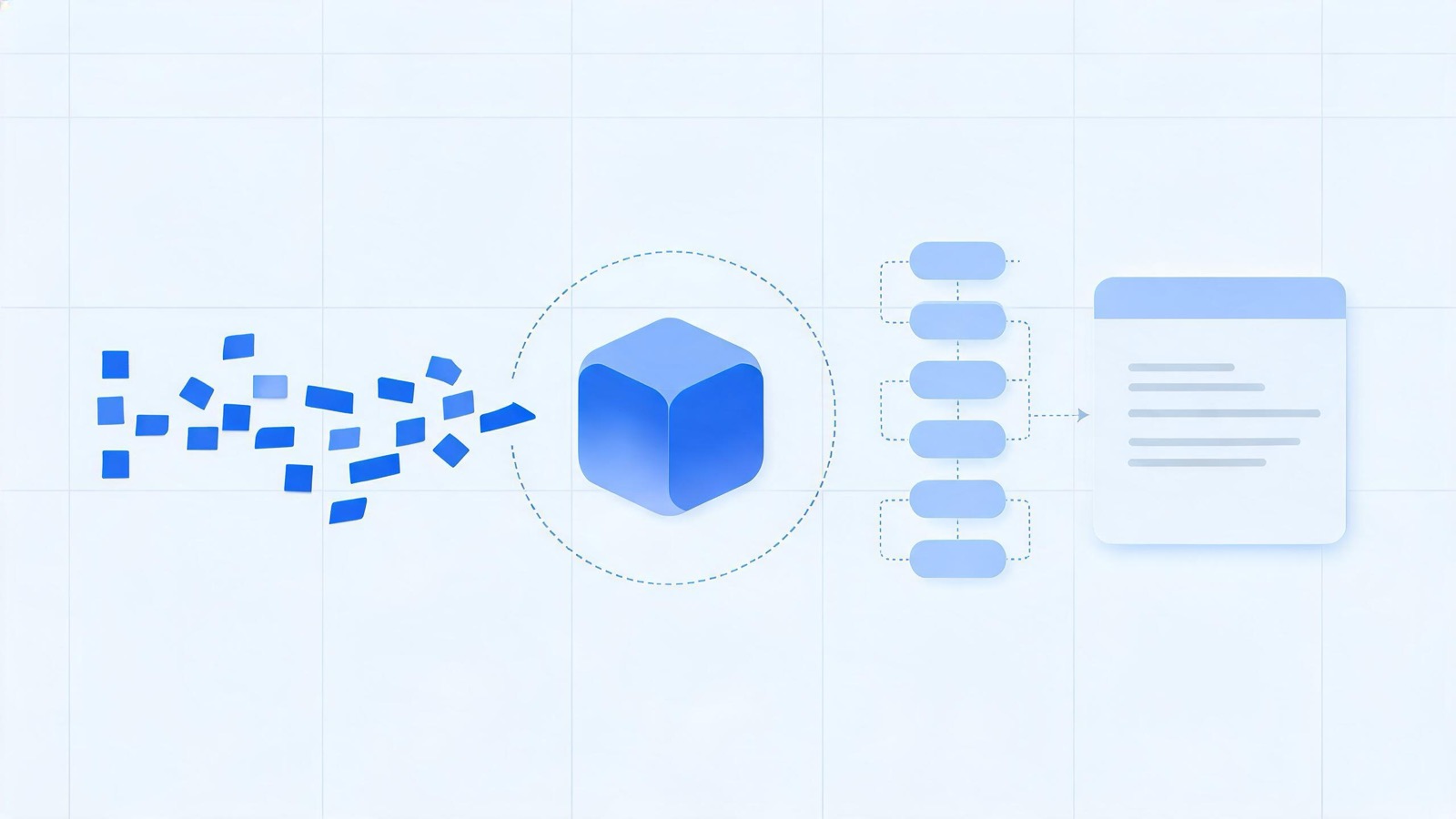
但 operatorList 不是凭空出现的. 它是 worker 端 GetOperatorList 的产物: 主线程发一个流式请求, worker 解开页面内容流, 把 PDF 操作符翻译成绘制算子, 再按 chunk 推回主线程.
本篇回到 worker, 只跟随 demo 首页这一条真实路径. 先列出本篇会用到的数据:
| 事实 | demo 首页的值 |
|---|---|
| 页面对象 | 第 1 页, pageIndex = 0 |
| MediaBox | [0 0 595.22 842] |
| CropBox | [0 0 595 842] |
/Contents | 单个流 11 0 R, /Filter /FlateDecode, /Length 542 |
| 解码后的内容流 | 1293 字节, 83 个操作符 |
| Resources | ExtGState /GS0 13 0 R, Font /T1_0 14 0 R, /T1_1 15 0 R |
| 注释 | 无 /Annots |
| operatorList | 84 条算子, 单个 chunk, lastChunk = true |
这里要区分两个词:
- 操作符: 内容流里的 PDF token, 例如
BT、Tf、TJ; - 算子:
operatorList里的OPS枚举, 例如beginText、setFont、showText.
它们不是一一对应. 本篇的核心问题就是: 83 个操作符为什么变成 84 条算子?
完整的求值器分支、路径、图片与颜色空间转换见 PartialEvaluator 源码解读. 本篇只解释 demo 首页走到的部分.
主线程的请求: GetOperatorList 携带什么
第 1 步, _pumpOperatorList 发出流式请求
第 5 篇 里首次进入 render 时, intentState.displayReadyCapability 还是空的, 于是调用 _pumpOperatorList. demo 实际发出的消息体是:
{
  pageId: 0,              // pagesMapper 映射后的物理页 id
  pageIndex: 0,           // 逻辑页码
  intent: 2,              // RenderingIntentFlag.DISPLAY
  cacheKey: "2__",
  annotationStorage: {},  // 空 Map 序列化后的结果
  modifiedIds: null,
}
intent 默认是 DISPLAY, 也就是 2. 后面的两个下划线来自 annotation hash 与 modifiedIds hash 都为空. 这正是 第 10 篇 里 cacheKey 的来源.
发送方式不是普通请求, 而是 sendWithStream:
const readableStream = this._transport.messageHandler.sendWithStream(
  "GetOperatorList",
  { pageId, pageIndex, intent, cacheKey, annotationStorage, modifiedIds },
  undefined,
  transfer
);
const reader = readableStream.getReader();
主线程随后用 reader.read() 逐块读取. 这套流式信封与 chunk 追加逻辑已经在 第 6 篇 讲过, 本篇只关心 worker 端生产了什么.
第 2 步, worker 先取页
worker 的 handler 第一件事不是解析内容流, 而是把 pageId 换成 core 层的 Page:
handler.on("GetOperatorList", function (
  { pageId, pageIndex, intent, cacheKey, annotationStorage, modifiedIds },
  sink
) {
  pdfManager.getPage(pageId).then(function (page) {
    const task = new WorkerTask(`GetOperatorList: page ${pageIndex}`);
    startWorkerTask(task);

    const start = verbosity >= VerbosityLevel.INFOS ? Date.now() : 0;
    page.getOperatorList({ handler, sink, task, intent, cacheKey, annotationStorage, modifiedIds, pageIndex })
      .then(opListInfo => {
        if (start) {
          info(`${task.name}; time=${Date.now() - start}ms, len=${opListInfo.length}`);
        }
        sink.close();
      }, reason => sink.error(reason))
      .finally(() => finishWorkerTask(task));
  });
});
demo 没有设置 verbosity, 默认是 WARNINGS, 所以那句 time=.., len=84 不会打印. 只有在 verbosity >= INFOS 时才会看到这行 info 日志.
pdfManager.getPage(0) 一侧是 第 8 篇 讲过的页缓存: 第一次取页时构造 Page, 后续直接复用同一个 promise.
第 3 步, PDFPage 同时准备内容流、资源与求值器
Page.getOperatorList 一进来就并行启动三件事:
const contentStreamPromise = this.getContentStream();
const resourcesPromise = this.loadResources(RESOURCES_KEYS_OPERATOR_LIST);

const partialEvaluator = this._createPartialEvaluator(handler, pageIndex);
RESOURCES_KEYS_OPERATOR_LIST 是:
["ColorSpace", "ExtGState", "Font", "Pattern", "Properties", "Shading", "XObject"]demo 的页面资源只有 ExtGState 与 Font, 没有 XObject, 没有 Pattern, 也没有颜色空间. 这意味着后面不会出现路径、图片、渐变或透明度组, 只剩文本与 marked content.
PartialEvaluator 只创建一次, 后面的内容流解析、字体翻译、资源加载都由它完成.
第 4 步, StartRenderPage 先于任何算子
等内容流和资源都就绪后, 代码先发一条状态消息, 再开始求值:
const pageListPromise = Promise.all([
  contentStreamPromise,
  resourcesPromise,
]).then(async ([contentStream]) => {
  const resources = await this.#getMergedResources(
    contentStream.dict,
    RESOURCES_KEYS_OPERATOR_LIST
  );
  const opList = new OperatorList(intent, sink);

  handler.send("StartRenderPage", {
    transparency: partialEvaluator.hasBlendModes(resources, this.nonBlendModesSet),
    pageIndex,
    cacheKey,
  });

  await partialEvaluator.getOperatorList({
    stream: contentStream,
    task,
    resources,
    operatorList: opList,
  });
  return opList;
});
demo 的 GS0 字典是:
<< /OP false /OPM 1 /SA false /SM 0.02 /Type /ExtGState /op false >>hasBlendModes 只检查 ExtGState 的 BM 以及 XObject 内部的资源. GS0 没有 BM, 页面也没有 XObject, 所以 transparency 是 false.
主线程收到这条消息后, _startRenderPage 只是 resolve displayReadyCapability:
_startRenderPage(transparency, cacheKey) {
  const intentState = this._intentStates.get(cacheKey);
  if (!intentState) {
    return;
  }
  intentState.displayReadyCapability?.resolve(transparency);
}
所以 StartRenderPage 的语义是 "页面请求阶段结束, transparency 已确定", 不是 "算子已经到齐". 第 5 篇 的 initializeGraphics 依赖的是这个信号, 而真正的算子 chunk 还在后面.
第 5 步, getContentStream 解开 542 字节
getContentStream 从页面字典的 Contents 取内容:
get content() {
  return this.pageDict.getArray("Contents");
}
demo 的 /Contents 是单个 11 0 R, 不是数组, 因此 getContentStream 直接返回这条 Stream, 不需要 StreamsSequenceStream 拼接.
这条流带 /Filter /FlateDecode, 压缩长度 542 字节. 解压后是 1293 字节, 开头如下:
BT
/Artifact <</Type /Pagination >>BDC
/GS0 gs
/T1_0 1 Tf
0.0074 Tc 7.98 0 0 7.98 70.8 36.8003 Tm
(\251 )Tj
/T1_1 1 Tf
0.0009 Tc -0.0002 Tw 10.98 0 0 10.98 78.96 36.8003 Tm
[(Adobe Sys)5(t)1(ems Inc)5(orporated)5( 20)5(08 \226 All rights)5( reser)-9(ved)]TJ
...
\251 是八进制 251, 在 WinAnsi 编码里对应 ©; \226 对应 –. 解压与解码细节见 FlateStream 源码解读.
随后 EvaluatorPreprocessor 用 Lexer 与 opMap 逐条读取:
this.parser = new Parser({
  lexer: new Lexer(stream, EvaluatorPreprocessor.opMap),
  xref,
});
opMap 把 BT、Tf、Tm、Tj 等名字映射到 OPS 枚举与参数个数, 并逐条校验. demo 这条流一共读出 83 个操作符:
| 操作符 | 次数 |
|---|---|
BT | 1 |
ET | 1 |
BDC | 13 |
EMC | 13 |
gs | 1 |
Tf | 4 |
Tc | 12 |
Tw | 11 |
Tm | 6 |
Td | 5 |
Tj | 9 |
TJ | 7 |
| 合计 | 83 |
83 个操作符如何变成 84 条算子
第 6 步, 一张表看清转换
PartialEvaluator.getOperatorList 的主循环每读到一个操作符, 就更新状态并调用 operatorList.addOp(fn, args). 对 demo 首页, 转换结果如下:
| 操作符 | 生成算子 | 算子条数 | demo 参数示例 |
|---|---|---|---|
BT | beginText | 1 | null |
ET | endText | 1 | null |
BDC | beginMarkedContentProps | 13 | ["Artifact", null], ["Span", 0] |
EMC | endMarkedContent | 13 | null |
gs | 无 | 0 | GS0 全是不支持的键 |
Tf | setFont + dependency | 4 + 2 | ["g_d0_f1", 1] |
Tc | setCharSpacing | 12 | [0.0074] |
Tw | setWordSpacing | 11 | [-0.0002] |
Tm | setTextMatrix | 6 | Float32Array(7.98, 0, 0, 7.98, 70.8, 36.8003) |
Td | moveText | 5 | [1.825, -1.608] |
Tj | showText | 9 | © 与空格两个 glyph |
TJ | showText | 7 | glyph 与数字间距混合 |
| 合计 | 84 |
算式只有两步:
83 个操作符
- 1 个 gs            -> 0 条算子
= 82 条直接算子
+ 2 条 dependency    -> 由 4 次 Tf 去重后注入
= 84 条算子
下面逐条解释这几个不直观的地方.
第 7 步, gs 为什么不产生算子
GS0 的键是 OP、OPM、SA、SM、Type、op. setGState 的 switch 只处理 LW、LC、LJ、ML、D、RI、FL、CA、ca、Font、BM、SMask 等键, 其余键落到:
case "HT":
case "SM":
case "SA":
case "AIS":
case "TK":
  info("graphic state operator " + key);
  break;
default:
  info("Unknown graphic state operator " + key);
  break;
Type 直接忽略, 其余键都只是打 info 日志. 因此 gStateObj 最终还是空数组:
if (gStateObj.length > 0) {
  operatorList.addOp(OPS.setGState, [gStateObj]);
}
没有产生任何算子. 注意这里不是 "gs 永远没有算子": 如果 GS0 带 LW 或 CA, 就会生成一条 setGState. demo 的 GS0 恰好只含绘制阶段用不到的键.
这就是 83 个操作符只剩 82 条直接算子的原因.
第 8 步, 四次 Tf, 只注入两条 dependency
demo 的内容流里有 4 次 Tf, 轮流使用两个字体:
| 资源名 | BaseFont | fontID | loadedName |
|---|---|---|---|
T1_0 | DDPEFM+Helvetica | f1 | g_d0_f1 |
T1_1 | DDPEIM+Helvetica-Bold | f2 | g_d0_f2 |
loadFont 为每个字体分配 fontID:
fontID = this.idFactory.createFontId(); // f1 / f2loadedName 由文档 id 与 fontID 拼成:
font.loadedName = `${this.idFactory.getDocId()}_${fontID}`;getDocId() 返回 g_${pdfManager.docId}. demo 的 docId 是 d0, 所以得到 g_d0_f1 与 g_d0_f2.
真正的算子注入发生在 OPS.setFont 分支:
case OPS.setFont:
  next(
    self.handleSetFont(resources, args, null, operatorList, task, stateManager.state, ...)
      .then(function (loadedName) {
        operatorList.addDependency(loadedName);
        operatorList.addOp(OPS.setFont, [loadedName, fontSize]);
      })
  );
  return;
addDependency 内部用 Set 去重:
addDependency(dependency) {
  if (this.dependencies.has(dependency)) {
    return;
  }
  ...
}
于是 4 次 Tf 的实际结果是:
内容流中的 Tf | 生成的算子 | 索引 |
|---|---|---|
/T1_0 1 Tf | dependency("g_d0_f1") | 2 |
| 同一位置 | setFont("g_d0_f1", 1) | 3 |
/T1_1 1 Tf | dependency("g_d0_f2") | 7 |
| 同一位置 | setFont("g_d0_f2", 1) | 8 |
/T1_0 1 Tf | setFont("g_d0_f1", 1) | 13 |
/T1_1 1 Tf | setFont("g_d0_f2", 1) | 18 |
所以是 4 条 setFont + 2 条 dependency = 6 条算子. dependency 是给主线程的资源占位符, 告诉 CanvasGraphics "执行到索引 2 之前, g_d0_f1 必须已经注册". 第 10 篇 里字体未就绪时暂停, 暂停点正是这条算子.
字体翻译完成后, TranslatedFont.send 把字体数据发给主线程:
handler.send("commonobj", [this.loadedName, "Font", fontData], transfers);send 里有 #sent 标记, 同一个字体只会发一次. 所以 worker 端一共只发送两条 commonobj, 尽管内容流里调用了 4 次 Tf.
setFont 的第二个参数是内容流里的字号, demo 是 1. 第 10 篇 里 browserFontSize 的 1.001 倍缩放是主线程之后的事, 不在这里.
第 9 步, Tj 与 TJ 都叫 showText
内容流里 9 次 Tj, 7 次 TJ, 一共 16 次文本绘制, 全部变成 16 条 showText:
case OPS.showText:
  args[0] = self.handleText(args[0], stateManager.state);
  break;

case OPS.showSpacedText:
  const combinedGlyphs = [];
  for (const arrItem of args[0]) {
    if (typeof arrItem === "string") {
      combinedGlyphs.push(...self.handleText(arrItem, state));
    } else if (typeof arrItem === "number") {
      combinedGlyphs.push(arrItem);
    }
  }
  args[0] = combinedGlyphs;
  fn = OPS.showText;
  break;
关键点: TJ 的数组里混着字符串与数字, 数字不是单独算子, 而是被塞进同一个 showText 的参数数组. 主线程执行 showText 时遇到数字就按 number / 1000 * fontSize 调整字距.
demo 的前两条 showText 长这样:
// i = 6: (\251 )Tj
showText [
  Glyph { unicode: "©", width: 737 },
  Glyph { unicode: " ", width: 278 },
]

// i = 12: [(Adobe Sys)5(t)1(ems ... reser)-9(ved)]TJ
showText [
  Glyph { unicode: "A", width: 722 },
  Glyph { unicode: "d", width: 611 },
  ...
  5, 1, 5, 5, 5, 5, 5, 5, -9,
  ...
]
Glyph 是 core 层的对象, 经过 postMessage 的结构化克隆后变成普通对象. 主线程只读取 unicode、width、isSpace 等字段, 不依赖原型.
这里也解释了为什么 83 个操作符里只有 16 个文本绘制操作, 但每个操作可能包含几十个 glyph: 一条 showText 可以画一串文字, 不必逐字生成算子.
第 10 步, Tm 的六个分量走 Float32Array 与 transfer
Tm 在求值器里被显式转成 Float32Array:
case OPS.setTextMatrix:
  operatorList.addOp(fn, [new Float32Array(args)]);
  continue;
demo 的第一条矩阵:
setTextMatrix [Float32Array(7.98, 0, 0, 7.98, 70.8, 36.8003)]6 次 Tm 就是 6 个 Float32Array. OperatorList.flush 在发送 chunk 前收集 transfer list:
case OPS.setTextMatrix:
  transfers.push(argsArray[i][0].buffer);
  break;
于是这个 chunk 携带 6 个 ArrayBuffer 一起转移给主线程, 不复制内存. 主线程收到后仍是 Float32Array, 可以直接参与矩阵运算.
这正是 第 10 篇 里 Math.hypot(matrix[0], matrix[1]) 能直接工作的前提: 如果这里传的是普通数组, 主线程拿到的类型就会不同.
第 11 步, BDC 只保留 tag 与 MCID
demo 有 13 个 BDC, 2 个是 Artifact, 11 个是 Span:
/Artifact <</Type /Pagination >>BDC
/Span <</MCID 0 >>BDC
...
/Span <</MCID 10 >>BDC
求值器的处理是:
case OPS.beginMarkedContentProps:
  markedContentLevel++;
  if (!(args[0] instanceof Name)) {
    operatorList.addOp(OPS.beginMarkedContentProps, ["OC", null]);
    continue;
  }
  if (args[0].name === "OC") {
    // 可选内容组, 走 parseMarkedContentProps
    ...
    return;
  }
  // 非 OC 的属性字典只保留 MCID
  args = [
    args[0].name,
    args[1] instanceof Dict ? args[1].get("MCID") : null,
  ];
  break;
所以 Artifact 的属性字典被压缩成 ["Artifact", null]; Span 保留 MCID, 变成 ["Span", 0] 到 ["Span", 10]. demo 没有 OC, 不会进入可选内容分支.
13 个 EMC 则一一对应 endMarkedContent. 求值器维护 markedContentLevel, 保证栈平衡; 第 10 篇 的 CanvasGraphics 用同样的 tag 维护可见性栈.
页面字典里有 /StructParents 1, 说明这是带结构树的 tagged PDF. MCID 在这里被保留下来, 但绘制阶段只用它做标记; 结构树与文本层的关联是另一条链路.
第 12 步, 状态类操作符一一复制
剩下的是文本状态:
| 操作符 | 次数 | 算子 | 参数 |
|---|---|---|---|
Tc | 12 | setCharSpacing | [0.0074], [0], [-0.0279] |
Tw | 11 | setWordSpacing | [-0.0002], [0.0281] |
Td | 5 | moveText | [1.825, -1.608], [-26.62, -1.188] |
Tm | 6 | setTextMatrix | Float32Array(6) |
它们都是 1:1 复制, 因为主线程必须按完全相同的顺序重建 TextState. showText 本身不带字距、矩阵、缩放信息, 只带 glyph; 正确的位置来自前面这些状态算子. 第 10 篇 的第 6 步已经展示过 setCharSpacing 与 setTextMatrix 如何更新状态, 这里不再重复.
一个 chunk 与三个到达时刻
第 13 步, 84 远小于 1000, 只 flush 一次
OperatorList 用两个常量控制分片:
static CHUNK_SIZE = 1000;
static CHUNK_SIZE_ABOUT = this.CHUNK_SIZE - 5; // 995
每次 addOp 都会累加 weight:
addOp(fn, args) {
  this.optimizer.push(fn, args);
  this.weight++;
  if (this._streamSink) {
    if (this.weight >= OperatorList.CHUNK_SIZE) {
      this.flush();
    } else if (
      this.weight >= OperatorList.CHUNK_SIZE_ABOUT &&
      (fn === OPS.restore || fn === OPS.endText)
    ) {
      this.flush();
    }
  }
}
demo 只有 84 条算子, 两个条件都达不到, 所以求值过程中一次都不 flush. 页面没有注释, getOperatorList 直接走:
if (
  annotations.length === 0 ||
  intent & RenderingIntentFlag.ANNOTATIONS_DISABLE
) {
  pageOpList.flush(/* lastChunk = */ true);
  return { length: pageOpList.totalLength };
}
最终 chunk 的内容是:
{
  fnArray: [...84 个 OPS 数字],
  argsArray: [...84 组参数],
  lastChunk: true,
  separateAnnots: null,
  length: 84,
}
外加 6 个 ArrayBuffer 的 transfer list. 主线程把这个 chunk 追加到已有的空数组里, 一开始就拿到完整算子.
这里还有一个容易忽略的入口差异:
page.getOperatorList()带OPLIST标志, 使用NullOptimizer;page.render()的intent = 2, 使用QueueOptimizer.
QueueOptimizer 主要合并路径与图片算子. demo 首页没有路径与图片, 所以两个入口输出的 84 条算子完全一致. 如果页面有大量小路径, 两种入口的条数就会不同.
第 14 步, StartRenderPage、commonobj 与 chunk 的赛跑
worker 在一次请求里按顺序发出四类消息:
| 顺序 | 消息 | demo 内容 |
|---|---|---|
| 1 | StartRenderPage | { transparency: false, pageIndex: 0, cacheKey: "2__" } |
| 2 | commonobj | ["g_d0_f1", "Font", ...] |
| 3 | commonobj | ["g_d0_f2", "Font", ...] |
| 4 | operatorList chunk | 84 条算子 + 6 个 transfer |
| 5 | 流关闭 | sink.close() |
消息按 postMessage 的 FIFO 到达主线程. 但 commonobj 的处理不是同步 resolve:
messageHandler.on("commonobj", ([id, type, exportedData]) => {
  const fontData = new FontInfo(exportedData);
  const font = new FontFaceObject(fontData, ...);

  this.fontLoader.bind(font)
    .catch(() => messageHandler.sendWithPromise("FontFallback", { id }))
    .finally(() => {
      font.clearData();
      this.commonObjs.resolve(id, font);
    });
});
commonObjs 要等 fontLoader.bind 完成才 resolve. 而 operatorList chunk 的处理只是把数组追加进去, 然后触发绘制:
_renderPageChunk(operatorListChunk, intentState) {
  for (let i = 0; i < operatorListChunk.length; i++) {
    intentState.operatorList.fnArray.push(operatorListChunk.fnArray[i]);
    intentState.operatorList.argsArray.push(operatorListChunk.argsArray[i]);
  }
  intentState.operatorList.lastChunk = operatorListChunk.lastChunk;
  intentState.operatorList.separateAnnots = operatorListChunk.separateAnnots;

  for (const internalRenderTask of intentState.renderTasks) {
    internalRenderTask.operatorListChanged();
  }
  ...
}
因此 demo 有两种可能的时序:
- 字体在 chunk 被消费前完成 bind:
CanvasGraphics执行到索引 2 时,g_d0_f1已经在commonObjs里, 直接继续; - chunk 先到, 字体还在 bind:
CanvasGraphics在索引 2 暂停, 等commonObjs.resolve后再从同一索引恢复.
代码没有保证哪一种. 第 10 篇 里的 dependency 暂停分支不是异常路径, 而是这条请求的正常并发结果.
实际浏览器里, 字体通常需要注册 FontFace 并等待加载, 所以第二种时序更常见; 但 demo 的字体是从 fontData 直接构造的, 也可能很快就绪. 这也是为什么 PDF.js 要把 dependency 做成 可暂停、可恢复, 而不是提前阻塞整个 operatorList.
第 15 步, worker 的时间片与背压
getOperatorList 的主循环不是一口气跑到底:
while (!(stop = timeSlotManager.check())) {
  task.ensureNotTerminated();
  if (!preprocessor.read(operation)) {
    break;
  }
  ...
}
if (stop) {
  next(deferred);
  return;
}
TimeSlotManager 的规则是:
static TIME_SLOT_DURATION_MS = 20;
static CHECK_TIME_EVERY = 100;
每 100 次检查才看一次时钟. demo 只有 83 个操作符, 循环 84 次就结束, 连一次时钟检查都触发不了, 所以这条请求在 worker 端是一次跑完的.
大页面则不同: 每 100 个操作符检查一次, 超过 20ms 就退出当前同步循环, 通过 next(deferred) 重新进入 promiseBody, 预处理器从流中的当前位置继续读. 真正读到流末尾时才补上未关闭的 marked content 与 graphics state, 保证栈平衡.
next 同时还等待 operatorList.ready:
const next = function (promise) {
  Promise.all([promise, operatorList.ready]).then(function () {
    promiseBody(resolve, reject);
  }, reject);
};
operatorList.ready 与 sink.ready 相连, 表示下游还能不能接收. 这就是 第 6 篇 的流式背压: 主线程消费得慢, worker 就不会无限堆算子.
请求被取消时, task.ensureNotTerminated() 会在下一次进入循环时抛出, 当前 promiseBody 终止, sink.error 把错误传回主线程. 第 5 篇 的 cancel 最终走到这里.
总结
本篇从主线程的 GetOperatorList 请求出发, 跟着 demo 首页的 1293 字节内容流, 走完了 worker 端的算子生产:
_pumpOperatorList发送pageId = 0、intent = 2、cacheKey = "2__"的流式请求;- worker 用
pdfManager.getPage(0)取得Page, 创建WorkerTask; Page.getOperatorList并行准备内容流、资源与PartialEvaluator;StartRenderPage在求值前发出, 只携带transparency与cacheKey;/Contents 11 0 R经 FlateDecode 从 542 字节解压成 1293 字节;EvaluatorPreprocessor读出 83 个操作符, 校验参数个数;gs的GS0只含不支持的键, 产生 0 条算子, 83 变成 82 条直接算子;- 4 次
Tf生成 4 条setFont与 2 条去重后的dependency, 总数变成 84; Tj与TJ共 16 次, 全部变成showText,TJ的数字留在同一参数数组里;Tm使用Float32Array, 6 个矩阵的 buffer 进入 transfer list;BDC只保留["Artifact", null]与["Span", MCID], 13 对BDC/EMC保持栈平衡;- 84 远小于 1000, 只在最后
flush(true)一次, 单 chunk、lastChunk = true; StartRenderPage、两条commonobj与 chunk 的先后完成顺序不固定, 字体未绑定时绘制在dependency处暂停;- worker 每 100 个操作符检查一次 20ms 时间片, demo 的 83 个操作符一次跑完;
operatorList.ready把主线程的消费速度反馈给 worker, 形成背压.
所以 GetOperatorList 不是一次简单的 "解析页面", 而是 一条带资源依赖、可暂停、可背压、可分片的算子生产流水线. 操作符数量与算子数量也没有固定关系: 有的操作符被丢弃, 有的会展开成多条, 有的会在解析过程中注入额外的资源占位.
至此, 算子与字体依赖都已就位. 但 dependency 里的 g_d0_f1 只是占位符: 内嵌的 Type1C 字节流 (FontFile3) 如何变成浏览器可加载的 FontFace? 第 12 篇 展开字体翻译管线: 指纹去重、CFF 重打包成 OpenType、二进制 FontInfo 传输与主线程的 FontFace 挂载.
StreamPDF 的设计原则: 能前置处理的绝对不放到解析的时候才做, 由服务端一次解决所有性能问题. 浏览器只获取&渲染必须数据.
相关文章
- PDF.js 从 demo 深入浅出 12: 字体翻译, 从 FontFile3 到 FontFace2026年10月28日
- PDF.js 从 demo 深入浅出 10: CanvasGraphics 与 operatorList 绘制2026年10月27日
- PDF.js 从 demo 深入浅出 9: 网络流与 Range 请求2026年10月27日
- PDF.js 从 demo 深入浅出 8: PDFWorker.create 与真假 Worker 握手2026年10月27日
- PDF.js 从 demo 深入浅出 7: WorkerTransport 初始化2026年10月27日
- PDF.js 从 demo 深入浅出 6: MessageHandler 跨线程通讯2026年10月27日
- PDF.js 从 demo 深入浅出 5: render 方法全貌2026年10月27日
- PDF.js 从 demo 深入浅出 4: getViewport 方法全貌2026年10月27日
- PDF.js 从 demo 深入浅出 3: getPage 方法全貌2026年10月27日
- PDF.js 从 demo 深入浅出 2: getDocument 方法全貌2026年10月27日
- PDF.js 源码解读: TextLayer2026年10月27日
- PDF.js 源码解读: font_loader2026年10月27日
- PDF.js 源码解读: obj_bin_transform_display2026年10月27日
- PDF.js 源码解读: PDFObjects2026年10月27日
- PDF.js 源码解读: 网络流2026年10月27日
- PDF.js 源码解读: internal_evt.js2026年10月27日
- PDF.js 源码解读: math_clamp.js2026年10月27日
- PDF.js 源码解读: css_utils.js2026年10月27日
- PDF.js 源码解读: scripting_utils2026年10月27日
- PDF.js 源码解读: MurmurHash3_642026年10月27日
- PDF.js 源码解读: obj_bin_transform_utils2026年10月27日
- PDF.js 源码解读: image_utils.js2026年10月27日
- PDF.js 源码解读: BasePDFStream2026年10月27日
- PDF.js 源码解读: 共享工具层2026年10月27日
- PDF.js 源码解读: MessageHandler2026年10月27日
- PDF.js 源码解读: api2026年10月27日
- PDF.js 源码解读: fonts2026年10月27日
- PDF.js 源码解读: glyphlist2026年10月27日
- PDF.js 源码解读: binary_cmap2026年10月27日
- PDF.js 源码解读: cmap2026年10月27日
- PDF.js 源码解读: encodings2026年10月27日
- PDF.js 源码解读: metrics2026年10月27日
- PDF.js 源码解读: standard_fonts2026年10月27日
- PDF.js 源码解读: fonts_utils2026年10月27日
- PDF.js 源码解读: default_appearance2026年10月27日
- PDF.js 源码解读: metadata_parser2026年10月27日
- PDF.js 源码解读: name_number_tree2026年10月27日
- PDF.js 源码解读: struct_tree2026年10月27日
- PDF.js 源码解读: catalog2026年10月27日
- PDF.js 源码解读: pdf_manager2026年10月27日
- PDF.js 源码解读: object_loader2026年10月27日
- PDF.js 源码解读: obj_bin_transform_core2026年10月27日
- PDF.js 源码解读: crypto2026年10月27日
- PDF.js 源码解读: core_utils2026年10月27日
- PDF.js 源码解读: primitives2026年10月27日
- PDF.js 源码解读: worker_stream2026年10月27日
- PDF.js 源码解读: ccitt_stream2026年10月27日
- PDF.js 源码解读: jpx_stream2026年10月27日
- PDF.js 源码解读: jbig2_stream2026年10月27日
- PDF.js 源码解读: jpeg_stream2026年10月27日
- PDF.js 源码解读: decrypt_stream2026年10月27日
- PDF.js 源码解读: brotli_stream2026年10月27日
- PDF.js 源码解读: run_length_stream2026年10月27日
- PDF.js 源码解读: ascii_hex_stream2026年10月27日
- PDF.js 源码解读: ascii_85_stream2026年10月27日
- PDF.js 源码解读: lzw_stream2026年10月27日
- PDF.js 源码解读: predictor_stream2026年10月27日
- PDF.js 源码解读: flate_stream2026年10月27日
- PDF.js 源码解读: decode_stream2026年10月27日
- PDF.js 源码解读: chunked_stream2026年10月27日
- PDF.js 源码解读: stream2026年10月27日
- PDF.js 源码解读: base_stream2026年10月27日
- PDF.js 深入浅出 11: Parser2026年10月26日
- PDF.js 深入浅出 10: XRef2026年10月26日
- PDF.js 深入浅出 9: CanvasGraphics2026年10月26日
- PDF.js 深入浅出 8: Document 与 Page2026年10月26日
- AI 时代, 我们到底应该做什么才能活下去(StreamPDF 创立有感)2026年10月26日
- PDF.js 深入浅出 7: PartialEvaluator2026年10月25日
- PDF.js 深入浅出 6: PDFManager.initDocument2026年10月25日
- PDF.js 深入浅出 5: PDFFetchStream 和 PDFWorkerStream2026年10月25日
- PDF.js 深入浅出 4: MessageHandler2026年10月22日
- PDF.js 深入浅出 3: getViewport & render2026年10月22日
- PDF.js 从 demo 深入浅出 1: 自定义 viewer 渲染 PDF2026年10月19日
- PDF.js 深入浅出 2: getDocument & getPage2026年10月19日
- PDF.js 深入浅出 1: PDF.js 的架构设计2026年10月16日