
PDF.js 从 demo 深入浅出 12: 字体翻译, 从 FontFile3 到 FontFace
2026年10月28日 · StreamPDF Team
前言
第 11 篇 里, demo 首页的 4 次 Tf 最终变成了 4 条 setFont 加 2 条 dependency 算子, 同时 worker 发出了两条 commonobj 消息:
handler.send("commonobj", ["g_d0_f1", "Font", fontData], transfers);当时留下了两个问题:
fontData是什么? 为什么它能放进 transfer list?g_d0_f1对应的字体, 在 worker 端经历了什么才变成浏览器能用的东西?
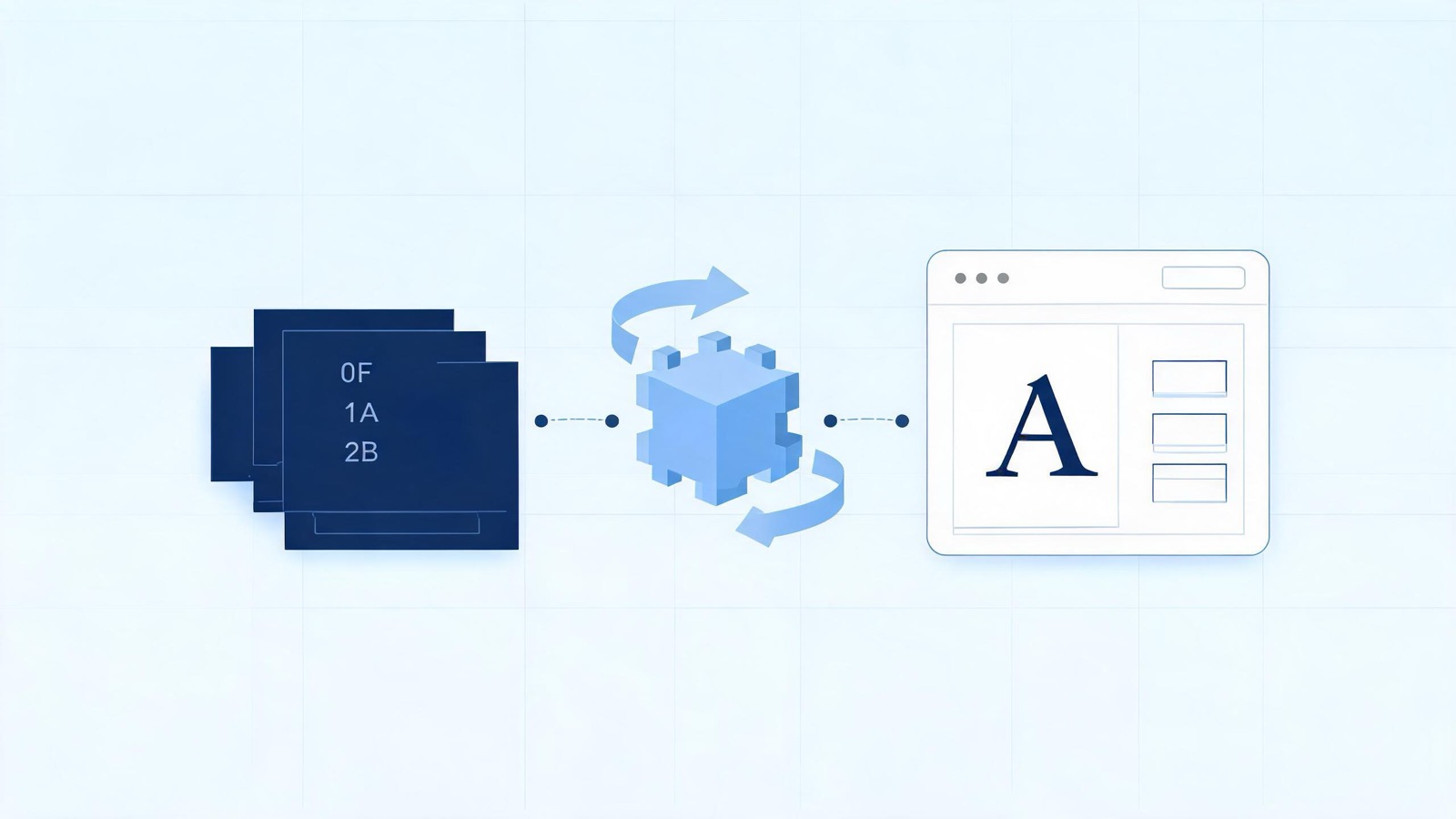
浏览器只认识 OpenType/TrueType/WOFF 等容器, 而 demo 的 PDF 内嵌的是 Type1C (CFF) 字体程序. 中间这道翻译工序, 就是本篇的主角. 我们跟随 demo 的两个真实字体, 从 /T1_0 这个名字一直走到主线程的 new FontFace.
demo 的两个字体档案
先从 PDF 对象出发, 把本篇要用的数据列出来. demo 文档是 PDF 32000-1:2008 规范本身, 首页资源字典:
<< /ExtGState << /GS0 13 0 R >>
   /Font << /T1_0 14 0 R /T1_1 15 0 R >>
   /ProcSet [ /PDF /Text /ImageB /ImageC /ImageI ] >>
14 0 R (/T1_0, 正文用) 与 15 0 R (/T1_1, 粗体用) 的字典几乎同构:
| 字段 | T1_0 (14 0 R) | T1_1 (15 0 R) |
|---|---|---|
| Subtype | Type1 | Type1 |
| BaseFont | DDPEFM+Helvetica | DDPEIM+Helvetica-Bold |
| Encoding | WinAnsiEncoding | WinAnsiEncoding |
| FirstChar / LastChar | 32 / 169 | 32 / 151 |
| Widths | 138 个数 | 120 个数 |
| ToUnicode | 无 | 无 |
| FontDescriptor | 452 0 R | 453 0 R |
DDPEFM+ 这种六字母加号前缀是字体子集 (subset) 的标记: 字体程序里只嵌入了文档用到的字形. 对应的 FontDescriptor:
| 字段 | 452 (Helvetica) | 453 (Helvetica-Bold) |
|---|---|---|
| Flags | 32 | 262176 |
| FontBBox | [-166 -225 1000 931] | [-170 -228 1003 962] |
| Ascent / Descent | 718 / -207 | 718 / -207 |
| CapHeight / XHeight | 718 / 523 | 718 / 532 |
| StemV | 88 | 140 |
| CharSet | 55 个字形名 | 40 个字形名 |
| FontFile3 | 1306 0 R (Type1C, 压缩 3723 → 解压 4323 字节) | 1307 0 R (Type1C, 压缩 2642 → 解压 3121 字节) |
Flags 是位掩码: 32 是 Nonsymbolic; 262176 = 32 + 262144, 即 Nonsymbolic | ForceBold.
注意两个关键点:
- 字体程序走的是 FontFile3 + Subtype Type1C, 也就是 CFF (Compact Font Format) —— 浏览器无法直接加载;
- 两个字典都没有 ToUnicode CMap, 文本的 unicode 只能从编码字形名推导.
第 1 步, loadFont: 先查缓存, 再决定要不要翻译
入口在 handleSetFont 里, 它把资源名 T1_0 交给 loadFont. loadFont 的第一段全是缓存与兜底逻辑:
let fontRef;
if (font) {
  if (font instanceof Ref) {
    fontRef = font;
  }
} else {
  // 按名字加载: 从资源字典取原始引用
  const fontRes = resources.get("Font");
  if (fontRes) {
    fontRef = fontRes.getRaw(fontName); // T1_0 → Ref "14 0 R"
  }
}
if (fontRef) {
  if (this.type3FontRefs?.has(fontRef)) {
    return errorFont();
  }
  if (this.fontCache.has(fontRef)) {
    return this.fontCache.get(fontRef); // 同一引用直接复用 promise
  }
  try {
    font = this.xref.fetchIfRef(fontRef);
  } catch (ex) {
    warn(`loadFont - lookup failed: "${ex}".`);
  }
}

if (!(font instanceof Dict)) {
  if (!this.options.ignoreErrors && !this.parsingType3Font) {
    return errorFont(); // 生成 loadedName = "g_font_error" 的错误字体
  }
  // 忽略错误模式下, 退回内置的 fallback 字体字典
  font = fallbackFontDict || PartialEvaluator.fallbackFontDict;
}
fontCache 以 Ref 为键, 值是 promise. demo 首页内容流里 T1_0 出现两次、 T1_1 出现两次, 但每个字体只翻译一次, 靠的就是这层缓存. 缓存的另一个作用在 第 8 篇 的 cleanup 里: 清理时遍历缓存卸载字体, 防止内存泄漏.
随后 preEvaluateFont 做轻量预解析, 不求值字体文件本身.
第 2 步, preEvaluateFont: 给字体算一个指纹
preEvaluateFont 只读字典, 不解字体程序, 返回:
{
  descriptor,   // FontDescriptor 字典 (452 0 R)
  dict,         // 字体字典本体 (Type0 时换成 DescendantFonts)
  baseDict,
  composite,    // Type0 复合字体? demo 为 false
  type: "Type1",
  firstChar: 32,
  lastChar: 169,
  toUnicode,    // demo 为 undefined
  hash,         // MurmurHash3_64 指纹
}
hash 的用途是跨页面去重: 不同对象号但内容完全相同的字体, 只翻译一次. 指纹的输入是与渲染结果相关、又不需要解开字体程序的字段:
hash.update(encoding);            // "WinAnsiEncoding"
hash.update(`${firstChar}-${lastChar}`); // "32-169" — 宽度表的范围
hash.update(toUnicode 字节);      // demo 无, 跳过
hash.update(widthsBuf.join());    // "278,0,0,..." 宽度数组
// composite 字体还会混入 W 数组与 CIDToGIDMap
// Type3 字体额外混入 CharProcs 键值
demo 两个字体的 encoding、范围、宽度表都不同, 指纹自然不同, 各自进入 fontAliases:
const fontAliases = (descriptor.fontAliases ||= Object.create(null));
if (fontAliases[hash]) {
  // 已翻译过同内容字体: 建立别名, 直接返回缓存
  ...
} else {
  fontAliases[hash] = { fontID: this.idFactory.createFontId() };
}
fontID = fontAliases[hash].fontID; // "f1" / "f2"
注意指纹放在 descriptor 字典的 fontAliases 字段上, 而这个字典对象在文档级缓存里存活, 所以跨页同内容字体也能命中.
第 3 步, fontID、loadedName 与字体缓存登记
拿到 fontID 后, loadFont 拼出跨线程唯一名:
font.loadedName = `${this.idFactory.getDocId()}_${fontID}`;
// g_d0_f1 / g_d0_f2
然后立刻把一个 promise 放进 fontCache, 再启动翻译:
if (fontRefIsRef) {
  this.fontCache.put(fontRef, promise);
} else {
  font.cacheKey = `cacheKey_${fontID}`;
  this.fontCache.put(font.cacheKey, promise);
}

this.translateFont(preEvaluatedFont)
  .then(async translatedFont => {
    const translated = new TranslatedFont({
      loadedName: font.loadedName,
      font: translatedFont,
      dict: font,
    });
    if (translatedFont.isType3Font) {
      await translated.loadType3Data(this, resources, task, seenRefs);
    }
    resolve(translated);
  })
  .catch(reason => {
    // 翻译失败不抛错, resolve 一个 ErrorFont, 渲染继续
    resolve(new TranslatedFont({ loadedName, font: new ErrorFont(...), dict }));
  });
return promise;
两个设计值得注意:
- 先存 promise 再翻译: 内容流里第二次遇到同一字体时, 拿到的是同一个 promise, 天然去掉了并发重复翻译;
- 翻译失败不中断页面:
catch里 resolve 一个ErrorFont, 它的字形全是方框, 但页面其余部分照常渲染.
demo 不是 Type3 字体, loadType3Data 不会触发.
第 4 步, translateFont: 取出字体程序
demo 的字体带 FontDescriptor, 走的是 translateFont 主分支 (无 descriptor 的标准 14 字体分支这里不涉及). 第一件事是找字体文件流:
for (const n of ["FontFile", "FontFile2", "FontFile3"]) {
  fontFile = descriptor.get(n);
  if (fontFile) {
    fontFileN = n;
    break;
  }
}
demo 命中 FontFile3, 即 1306 0 R / 1307 0 R, 流字典 /Subtype /Type1C, /Filter /FlateDecode. 如果流是异步的 (比如大文档的流式传输), 这里会先 await fontFile.asyncGetBytes() 换成同步流.
随后从字典与 descriptor 收集一批度量属性:
const properties = {
  type: "Type1",
  name: "DDPEFM+Helvetica", // FontName 与 BaseFont 一致
  subtype: "Type1C",        // 来自字体流字典
  file: fontFile,           // 解压后 4323 字节的 CFF 程序
  fontFileN: "FontFile3",
  fontMatrix,               // 字典无 FontMatrix, 用默认 FONT_IDENTITY_MATRIX
  firstChar: 32, lastChar: 169,
  toUnicode: undefined,
  bbox: [-166, -225, 1000, 931],
  ascent: 718, descent: -207,
  xHeight: 523, capHeight: 718,
  flags: 32, italicAngle: 0,
  ...
};
接着 extractDataStructures 解析编码 (WinAnsiEncoding 是内置命名编码, 直接映射字形名表), extractWidths 把 138 个宽度按 FirstChar + i 填入 properties.widths. 因为 fontMatrix 是单位阵, adjustWidths 直接跳过.
第 5 步, Font 构造: 嗅探真实类型, 把 CFF 翻译成 OpenType
const font = new Font(fontName.name, fontFile, newProperties, this.options);Font 构造函数不信字典里的声明, 先嗅探文件头:
[type, subtype] = getFontFileType(file, properties);
// isTrueTypeFile / isOpenTypeFile / isType1File / isCFFFile 依次看魔数
// demo: CFF 魔数 (0x01 0x00) 命中 → type "Type1", subtype "Type1C"
demo 的声明恰好与嗅探一致, 只打一条 info 日志的分支都不会进. 然后按类型分派:
case "Type1":
  this.mimetype = "font/opentype";

  const cff =
    subtype === "Type1C" || subtype === "CIDFontType0C"
      ? new CFFFont(file, properties)   // demo 走这里
      : new Type1Font(name, file, properties);

  adjustWidths(properties);

  // 把 CFF 数据包进一个 OTF 字体文件
  data = this.convert(name, cff, properties);
  break;
CFFFont 内部用 CFFParser 解析 CFF 的 INDEX、charset、charstrings, 再用 CFFCompiler 重新编译出一份"干净"的 CFF 数据. convert() 则以它为核心, 手工拼出一个标准 OpenType 容器:
const builder = new OpenTypeFileBuilder(...);
builder.addTable("cmap", ...);  // 平台 3/1 的字符到字形映射
builder.addTable("CFF ", cff.data); // 重新编译后的 CFF
builder.addTable("OS/2", createOS2Table(..., properties)); // 含 fsSelection 粗斜体位
builder.addTable("head", ...);
builder.addTable("hhea", ...);  // caretSlopeRun = tan(italicAngle) * xHeight
builder.addTable("hmtx", ...);  // 逐字形宽度, 来自 charstrings 的 width
builder.addTable("maxp", ...);  // numGlyphs
builder.addTable("name", createNameTable(fontName));
builder.addTable("post", createPostTable(properties));
return builder.toArray(); // Uint8Array, 一个完整可加载的 OTF
这就是"字体翻译"的核心: 把 PDF 内嵌的 CFF 程序重新打包成浏览器 FontFace API 能加载的 OpenType. 期间还完成了字形映射: getGlyphMapping 生成 charCode → glyphId (WinAnsi 编码 + charset), adjustMapping 在没有 ToUnicode 时把字形搬到私有区 (PUA), 保证 fillText 与文本复制都正确 —— 比如 \251 (169) 先经 WinAnsi 得到字形名 copyright, 再映射到 CFF 里的实际字形, 其宽度正是 Widths 表末尾的 737, 与 第 11 篇 里 Glyph { unicode: "©", width: 737 } 对得上.
两个字体的差异也在这一步落定:
| 属性 | g_d0_f1 | g_d0_f2 |
|---|---|---|
| flags | 32 (Nonsymbolic) | 262176 (Nonsymbolic | ForceBold) |
| OS/2 fsSelection | 常规位 | ForceBold 影响粗体位 |
| fallbackName | sans-serif | sans-serif |
| bold / italic / black | 未设置 | 未设置 |
最后一行容易误解: bold、italic、black、remeasure 这几个字段只在无内嵌文件、回退系统字体的路径 (fallbackToSystemFont) 里用正则从名字推导. demo 字体有内嵌程序, 不走那条路, 导出的数据里这些键直接不存在. 粗细信息由打包进 OS/2 表的 flags 承担, 而画布端两个字体是各自独立的 font-family (loadedName), 不需要 CSS weight 来区分.
第 6 步, exportData: 把字体编译成一块二进制 buffer
翻译完成后, 字体对象要跨线程发送. 直接 postMessage 一个带几十KB字体数据的普通对象会触发结构化克隆的深拷贝, PDF.js 选择先编译成一块 ArrayBuffer:
exportData() {
  return {
    buffer: compileFontInfo(this.#getExportData(EXPORT_DATA_PROPERTIES)),
    charProcOperatorList: this.charProcOperatorList, // Type3 才有
    extra: this.fontExtraProperties ? ... : undefined,
  };
}
EXPORT_DATA_PROPERTIES 固定 22 个键:
[
  "ascent", "bbox", "black", "bold", "cssFontInfo", "data",
  "defaultVMetrics", "defaultWidth", "descent", "disableFontFace",
  "fallbackName", "fontExtraProperties", "fontMatrix", "isInvalidPDFjsFont",
  "isType3Font", "italic", "loadedName", "mimetype", "missingFile",
  "name", "remeasure", "systemFontInfo", "vertical",
]
compileFontInfo 把这些属性压成单个 ArrayBuffer, 布局紧凑且类型化: 布尔位两个比特一个、数字是 Float64、bbox/fontMatrix 定长数组、字符串区集中存放、字体二进制原样内嵌. 未设置的键 (如 demo 的 bold) 以"不存在"编码, 不占空间.
第 7 步, TranslatedFont.send: 一次且仅一次
send(handler) {
  if (this.#sent) {
    return;
  }
  this.#sent = true;

  const fontData = this.font.exportData(),
    transfers = fontData.buffer ? [fontData.buffer] : null;

  handler.send("commonobj", [this.loadedName, "Font", fontData], transfers);
}
#sent 保证同一个字体只发一次 —— demo 内容流里 4 次 Tf 只产生 2 条 commonobj 的原因就在这里 (与第 11 篇的 dependency 去重是两道独立的闸门). buffer 进入 transfer list, 所有权转移给主线程, worker 侧不再保留拷贝.
至此 worker 侧的工作完成. 时序上, 这条 commonobj 与 operatorList chunk 的先后没有保证, 这正是第 11 篇"竞态"一节的来源.
第 8 步, 主线程: FontInfo 解码 → FontFace 挂载
主线程 PDFWorker 的 commonobj handler 收到消息:
messageHandler.on("commonobj", ([id, type, exportedData]) => {
  if (this.commonObjs.has(id)) {
    return null;
  }
  switch (type) {
    case "Font":
      const fontData = new FontInfo(exportedData);
      const font = new FontFaceObject(
        fontData,
        inspectFont,
        exportedData.charProcOperatorList,
        exportedData.extra
      );
      this.fontLoader
        .bind(font)
        .catch(() => messageHandler.sendWithPromise("FontFallback", { id }))
        .finally(() => {
          if (!font.fontExtraProperties) {
            font.clearData(); // 挂载完成后立即释放字体二进制
          }
          this.commonObjs.resolve(id, font);
        });
      break;
三个角色各司其职:
FontInfo: 包住 buffer, 用DataView按编译时的布局惰性解码 ——bold、ascent、data等都是 getter, 访问时才从二进制读出;FontFaceObject: 一层 getter 代理, 外加compiledGlyphs缓存 (Type3/兜底路径用) 与createNativeFontFace;FontLoader.bind: 真正挂载到文档.
bind 的核心路径:
async bind(font) {
  if (font.attached || (font.missingFile && !font.systemFontInfo)) {
    return; // 同一字体只挂一次
  }
  font.attached = true;

  if (font.systemFontInfo) {
    await this.loadSystemFont(font); // 系统字体替换路径, demo 不涉及
    return;
  }

  if (this.isFontLoadingAPISupported) {
    const nativeFontFace = font.createNativeFontFace();
    if (nativeFontFace) {
      this.addNativeFontFace(nativeFontFace); // document.fonts.add(...)
      try {
        await nativeFontFace.loaded;          // 等浏览器真正加载完
      } catch (ex) {
        font.disableFontFace = true;
        throw ex;
      }
    }
  }
  ...
}
createNativeFontFace 对 demo 来说就是一行:
nativeFontFace = new FontFace(this.loadedName, this.data, {});
// new FontFace("g_d0_f1", <OpenType buffer>, {})
this.data 是 worker 打包好的 OTF 字节, mimetype (font/opentype) 在这条 API 路径里不需要, 只在老的 @font-face + data URL 回退路径里拼 url(data:font/opentype;base64,...).
await nativeFontFace.loaded 完成后, commonObjs.resolve(id, font) 才执行 —— 也就是说 dependency 解除的时刻 = 浏览器真的加载完字体的时刻, 而不是消息到达的时刻. 之后 第 10 篇 的 setFont 从 commonObjs.get("g_d0_f1") 取出的, 就是这个 FontFaceObject.
finally 里的 clearData() 把 FontFaceObject 里的字体二进制引用清掉: 字体已交给 document.fonts, buffer 留着只会占内存 (大字体可能有几 MB). 下次 cleanup 时 (第 8 篇) 再把 FontFace 从文档移除.
第 9 步, 失败兜底: FontFallback 与逐字形路径
如果 bind 失败 (字体损坏、浏览器拒绝加载), catch 里会向 worker 回发 FontFallback. worker 端 TranslatedFont.fallback 的反应:
fallback(handler, evaluatorOptions) {
  if (!this.font.data) {
    return;
  }
  // 字体加载失败, 退回内置渲染器
  this.font.disableFontFace = true;
  // 把之前解析过的所有字形的路径数据全部补发到主线程
  PartialEvaluator.buildFontPaths(
    this.font,
    this.font.glyphCacheValues,
    handler,
    evaluatorOptions
  );
}
之后该字体的文本不再走 fillText, 而是逐字形用 Path2D 画路径 (主线程 FontFaceObject.getPathGenerator 缓存). 这是字体管线的降级形态: 慢一点, 但内容不会丢. demo 的两个字体都正常加载, 不会走到这条路.
总结
本篇跟随 demo 的两个内嵌字体, 走完了从 Tf 操作符到浏览器 FontFace 的完整字体管线:
loadFont先按Ref查fontCache, 同引用直接复用 promise;preEvaluateFont用 MurmurHash3_64 对 encoding、字符范围、ToUnicode、宽度表算指纹, 同内容字体跨页去重;fontID(f1/f2) 加文档前缀拼出跨线程唯一名g_d0_f1/g_d0_f2;translateFont依次尝试 FontFile / FontFile2 / FontFile3, demo 命中 FontFile3 (Type1C), 并把 descriptor 度量收进 properties;Font构造函数嗅探文件魔数确认真实类型,CFFParser+CFFCompiler重新编译 CFF,convert()手工拼出带 cmap/CFF/OS2/head/hhea/hmtx/maxp/name/post 九张表的 OpenType;exportData把 22 个属性经compileFontInfo压成单个 ArrayBuffer;TranslatedFont.send用#sent保证只发一次, buffer 走 transfer 零拷贝;- 主线程
FontInfo惰性解码 buffer,FontFaceObject包装,FontLoader.bind创建FontFace并await loaded, 完成才 resolve dependency; - 挂载成功后立即
clearData()释放二进制; 失败则FontFallback回退到逐字形路径渲染.
所以 setFont 算子背后的那个 commonObjs 条目, 不是一个简单的字体文件传递, 而是一次完整的格式翻译、去重、传输与挂载流水线的结果. 而 demo 首页能正确画出 © 与粗体文字, 依赖的正是这条流水线两端 737 宽度与 OS/2 粗体位这些不起眼的字段.
至此, demo 渲染链路上 render 的两大输入 —— operatorList (第 11 篇) 与字体 (本篇) —— 都已齐备. 下一篇我们回到渲染的另一条腿: 文本层 getTextContent, 看 worker 如何把同一份内容流再求值一遍, 提取出可供选择的文本与位置.
StreamPDF 的设计原则: 能前置处理的绝对不放到解析的时候才做, 由服务端一次解决所有性能问题. 浏览器只获取&渲染必须数据.
相关文章
- PDF.js 从 demo 深入浅出 11: GetOperatorList 与 84 条算子的生成2026年10月27日
- PDF.js 从 demo 深入浅出 10: CanvasGraphics 与 operatorList 绘制2026年10月27日
- PDF.js 从 demo 深入浅出 9: 网络流与 Range 请求2026年10月27日
- PDF.js 从 demo 深入浅出 8: PDFWorker.create 与真假 Worker 握手2026年10月27日
- PDF.js 从 demo 深入浅出 7: WorkerTransport 初始化2026年10月27日
- PDF.js 从 demo 深入浅出 6: MessageHandler 跨线程通讯2026年10月27日
- PDF.js 从 demo 深入浅出 5: render 方法全貌2026年10月27日
- PDF.js 从 demo 深入浅出 4: getViewport 方法全貌2026年10月27日
- PDF.js 从 demo 深入浅出 3: getPage 方法全貌2026年10月27日
- PDF.js 从 demo 深入浅出 2: getDocument 方法全貌2026年10月27日
- PDF.js 源码解读: TextLayer2026年10月27日
- PDF.js 源码解读: font_loader2026年10月27日
- PDF.js 源码解读: obj_bin_transform_display2026年10月27日
- PDF.js 源码解读: PDFObjects2026年10月27日
- PDF.js 源码解读: 网络流2026年10月27日
- PDF.js 源码解读: internal_evt.js2026年10月27日
- PDF.js 源码解读: math_clamp.js2026年10月27日
- PDF.js 源码解读: css_utils.js2026年10月27日
- PDF.js 源码解读: scripting_utils2026年10月27日
- PDF.js 源码解读: MurmurHash3_642026年10月27日
- PDF.js 源码解读: obj_bin_transform_utils2026年10月27日
- PDF.js 源码解读: image_utils.js2026年10月27日
- PDF.js 源码解读: BasePDFStream2026年10月27日
- PDF.js 源码解读: 共享工具层2026年10月27日
- PDF.js 源码解读: MessageHandler2026年10月27日
- PDF.js 源码解读: api2026年10月27日
- PDF.js 源码解读: fonts2026年10月27日
- PDF.js 源码解读: glyphlist2026年10月27日
- PDF.js 源码解读: binary_cmap2026年10月27日
- PDF.js 源码解读: cmap2026年10月27日
- PDF.js 源码解读: encodings2026年10月27日
- PDF.js 源码解读: metrics2026年10月27日
- PDF.js 源码解读: standard_fonts2026年10月27日
- PDF.js 源码解读: fonts_utils2026年10月27日
- PDF.js 源码解读: default_appearance2026年10月27日
- PDF.js 源码解读: metadata_parser2026年10月27日
- PDF.js 源码解读: name_number_tree2026年10月27日
- PDF.js 源码解读: struct_tree2026年10月27日
- PDF.js 源码解读: catalog2026年10月27日
- PDF.js 源码解读: pdf_manager2026年10月27日
- PDF.js 源码解读: object_loader2026年10月27日
- PDF.js 源码解读: obj_bin_transform_core2026年10月27日
- PDF.js 源码解读: crypto2026年10月27日
- PDF.js 源码解读: core_utils2026年10月27日
- PDF.js 源码解读: primitives2026年10月27日
- PDF.js 源码解读: worker_stream2026年10月27日
- PDF.js 源码解读: ccitt_stream2026年10月27日
- PDF.js 源码解读: jpx_stream2026年10月27日
- PDF.js 源码解读: jbig2_stream2026年10月27日
- PDF.js 源码解读: jpeg_stream2026年10月27日
- PDF.js 源码解读: decrypt_stream2026年10月27日
- PDF.js 源码解读: brotli_stream2026年10月27日
- PDF.js 源码解读: run_length_stream2026年10月27日
- PDF.js 源码解读: ascii_hex_stream2026年10月27日
- PDF.js 源码解读: ascii_85_stream2026年10月27日
- PDF.js 源码解读: lzw_stream2026年10月27日
- PDF.js 源码解读: predictor_stream2026年10月27日
- PDF.js 源码解读: flate_stream2026年10月27日
- PDF.js 源码解读: decode_stream2026年10月27日
- PDF.js 源码解读: chunked_stream2026年10月27日
- PDF.js 源码解读: stream2026年10月27日
- PDF.js 源码解读: base_stream2026年10月27日
- PDF.js 深入浅出 11: Parser2026年10月26日
- PDF.js 深入浅出 10: XRef2026年10月26日
- PDF.js 深入浅出 9: CanvasGraphics2026年10月26日
- PDF.js 深入浅出 8: Document 与 Page2026年10月26日
- AI 时代, 我们到底应该做什么才能活下去(StreamPDF 创立有感)2026年10月26日
- PDF.js 深入浅出 7: PartialEvaluator2026年10月25日
- PDF.js 深入浅出 6: PDFManager.initDocument2026年10月25日
- PDF.js 深入浅出 5: PDFFetchStream 和 PDFWorkerStream2026年10月25日
- PDF.js 深入浅出 4: MessageHandler2026年10月22日
- PDF.js 深入浅出 3: getViewport & render2026年10月22日
- PDF.js 从 demo 深入浅出 1: 自定义 viewer 渲染 PDF2026年10月19日
- PDF.js 深入浅出 2: getDocument & getPage2026年10月19日
- PDF.js 深入浅出 1: PDF.js 的架构设计2026年10月16日