
PDF.js Source Walkthrough: Network Streams
October 27, 2026 · StreamPDF Team
Introduction
This is the "data supply layer" installment of the PDF.js source walkthrough series, covering seven files in one pass:
src/shared/base_pdf_stream.js(~240 lines) — three abstract base classessrc/display/network_stream.js(~30 lines) — the implementation selectorsrc/display/fetch_stream.js(~150 lines) — the fetch implementationsrc/display/network.js(~385 lines) — the XMLHttpRequest fallbacksrc/display/node_stream.js(~142 lines) — the Node.js file:// implementationsrc/display/transport_stream.js(~230 lines) — the user-push implementationsrc/display/network_utils.js(~133 lines) — shared validation utilities
Together these seven files are under 1,200 lines, yet they are the sole source of every PDF byte the worker thread sees. The end of the MessageHandler article noted that "the GetReader / GetRangeReader messages run over the stream channel, and the network streams are the next installment" — this is that installment.
Foreshadowing from previous articles converges here:
- The "three network-stream branches" (
data/range/url) from the api.js article decide whether this set of files is used at all, and which implementation is picked; - The
rangeChunkSize = 64KBhook planted in demo series part 2 is resolved here — we reveal exactly where it takes effect; - The
sendWithStreamchannel from the MessageHandler article is the conveyor belt these files use to send bytes to the worker.
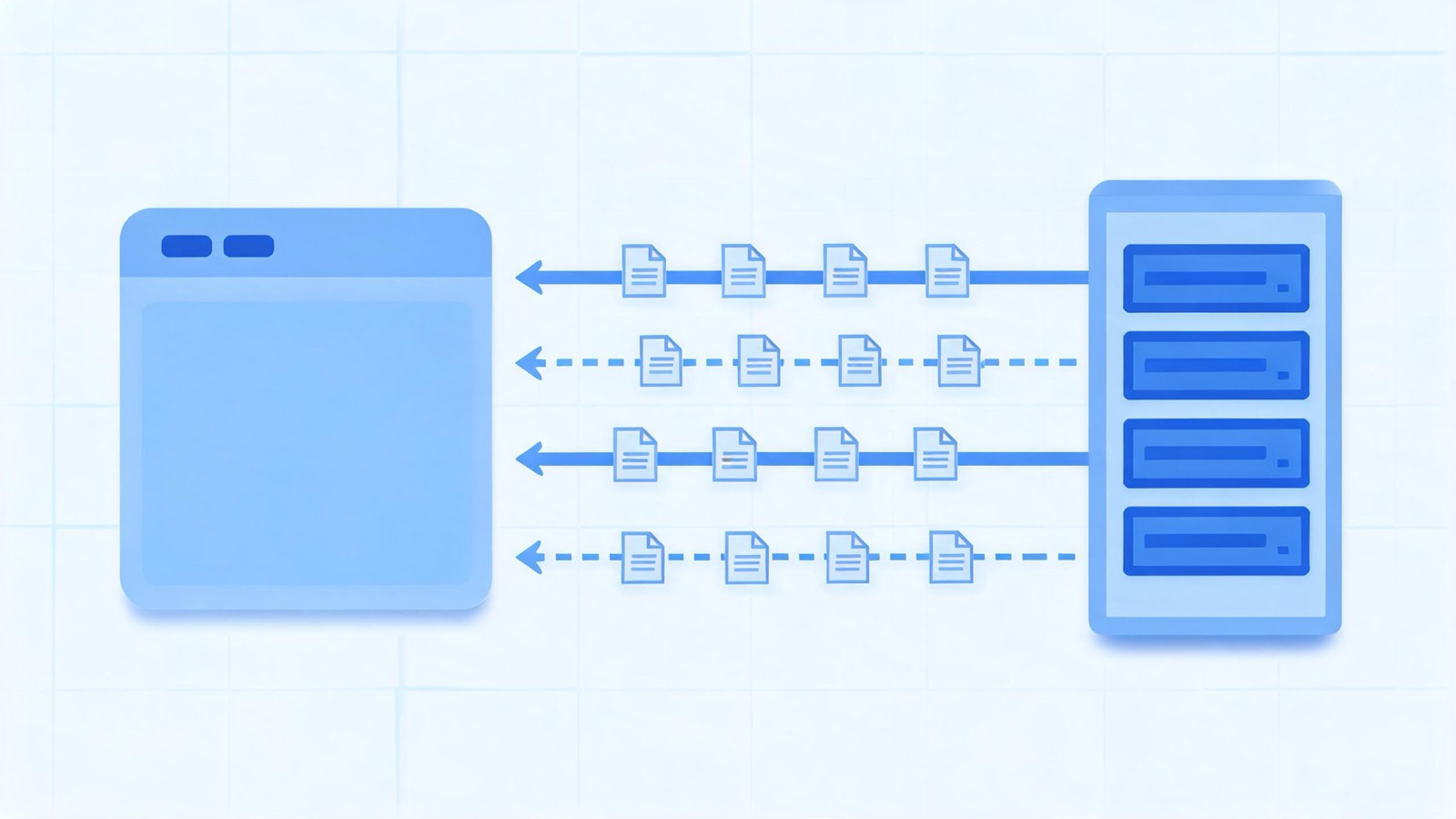
In one sentence, this layer's job: abstract "where do PDF bytes come from" into two kinds of readers (full / range); the main thread picks one of four implementations — fetch, XHR, Node fs, or user push — based on the environment, and the worker pulls bytes on demand via the GetReader / GetRangeReader stream messages.
Module Overview
| File | Exports | Responsibility |
|---|---|---|
base_pdf_stream.js | BasePDFStream and two other base classes | Reader contract: exactly one full reader, multiple range readers |
network_stream.js | getNetworkStream | Picks the implementation class by URL protocol and runtime |
fetch_stream.js | PDFFetchStream | The modern browser default: fetch + ReadableStream |
network.js | PDFNetworkStream | Legacy-environment fallback: XMLHttpRequest |
node_stream.js | PDFNodeStream | Local file:// files under Node.js |
transport_stream.js | PDFDataTransportStream | Push mode: the user subclasses PDFDataRangeTransport and feeds data in |
network_utils.js | Seven utility functions | Range capability validation, response header parsing, origin checks |
How the four implementations map to their underlying APIs:
| Implementation | Underlying API | Byte source |
|---|---|---|
PDFFetchStream | fetch + response.body.getReader() | http(s) server |
PDFNetworkStream | XMLHttpRequest (arraybuffer) | http(s)/file/ftp, etc. |
PDFNodeStream | fs.createReadStream → Web Stream | Local filesystem |
PDFDataTransportStream | None — user code pushes via methods like onDataRange | Anything (custom protocols, decryption, concatenation…) |
All four classes extend BasePDFStream and are structurally isomorphic: one stream class plus two reader classes (full + range). Understand one of them, and the other three are just diffs.
The Base Classes: A Three-Layer Contract
base_pdf_stream.js defines the interface surface of the entire subsystem.
BasePDFStream: The Reader Registry
class BasePDFStream {
  _fullReader = null;
  _rangeReaders = new Set();

  getFullReader() {
    assert(!this._fullReader, "... can only be called once.");
    return (this._fullReader = new this.#PDFStreamReader(this));
  }

  getRangeReader(begin, end) {
    if (end <= this._progressiveDataLength) {
      return null; // the full reader has already covered this range; no range request needed
    }
    const reader = new this.#PDFStreamRangeReader(this, begin, end);
    this._rangeReaders.add(reader);
    return reader;
  }
}
Two decisions worth remembering:
- The full reader is globally unique — asking for it twice fails an assert. There is exactly one "read from start to finish" byte stream in the whole system.
getRangeReadermay returnnull._progressiveDataLengthis the number of bytes the full reader has already loaded — when the requested range falls entirely inside the loaded region, the data will arrive naturally with the full stream, and issuing a range request would be pure waste. The caller (api.js'sGetRangeReaderhandler) must handle this null.
BasePDFStreamReader: Capability Declaration for the Worker
class BasePDFStreamReader {
  onProgress = null;
  _contentLength = 0;
  _headersCapability = Promise.withResolvers();
  _isRangeSupported = false;
  _isStreamingSupported = false;
  _loaded = 0;

  get headersReady() { return this._headersCapability.promise; }
  get contentLength() { return this._contentLength; }
  get isRangeSupported() { return this._isRangeSupported; }
  get isStreamingSupported() { return this._isStreamingSupported; }

  async read() { unreachable("Abstract method `read` called"); }
  cancel(reason) { unreachable("Abstract method `cancel` called"); }
}
The interface shape mirrors a WHATWG ReadableStream reader: read() returns Promise<{ value, done }>. This alignment is no coincidence — WorkerTransport's sink.onPull callback (see "Wiring to the Worker" below) works in the ReadableStream pull mode, the reader contract matches it exactly, and the four implementations are freely interchangeable.
headersReady is the most important promise in this subsystem: before issuing any range request, the worker must wait for it to resolve in order to obtain the three capability values contentLength / isRangeSupported / isStreamingSupported. Capabilities are not decided directly by user parameters — they are probed from response headers — a recurring theme of this article.
BasePDFStreamRangeReader: Deliberately Left Blank
The range reader base class has only two abstract methods, read() / cancel(); it doesn't even store begin/end (the constructor arguments are passed through to super and dropped). Each implementation handles this as needed: the fetch version doesn't record them, while the transport version needs _begin to find the matching reader.
The Selector: network_stream.js
function getNetworkStream(url) {
  return isValidFetchUrl(url)
    ? PDFFetchStream
    : typeof PDFJSDev !== "undefined" && PDFJSDev.test("GENERIC") && isNodeJS
      ? PDFNodeStream
      : PDFNetworkStream;
}
Three nested ternaries; priority equals order:
- URL protocol is http(s) (
isValidFetchUrlchecks only the protocol) →PDFFetchStream. fetch is the modern browser default; - Otherwise, GENERIC build running under Node.js →
PDFNodeStream. Covers reading local files viafile://in Node; - Everything else →
PDFNetworkStream(XHR). Includesfile://,ftp://in browsers, and old environments where fetch is unavailable.
Note this is capability detection, not a configuration switch: no user parameter can force a particular implementation. Also, fetch_stream.js, network.js, and node_stream.js all begin with MOZCENTRAL guards — Firefox's built-in viewer uses the browser's own networking, and these three modules throw outright in MOZCENTRAL builds.
The fetch Implementation: fetch_stream.js
Fire the Request in the Constructor, Make Every Decision in the then Chain
PDFFetchStream itself contains almost no logic: it asserts the URL is http(s) and merges user httpHeaders via createHeaders. The real action is in the full reader's constructor:
class PDFFetchStreamReader extends BasePDFStreamReader {
  _abortController = new AbortController();
  _reader = null;

  constructor(stream) {
    super(stream);
    const { disableRange, disableStream, rangeChunkSize, url, withCredentials } =
      stream._source;

    this._isStreamingSupported = !disableStream;
    const headers = new Headers(stream.headers); // always make a copy

    fetchUrl(url, headers, withCredentials, this._abortController)
      .then(response => {
        stream._responseOrigin = getResponseOrigin(response.url);
        ensureResponseStatus(response.status, url); // only 200 / 206 accepted
        this._reader = response.body.getReader();

        const { contentLength, isRangeSupported } =
          validateRangeRequestCapabilities({
            responseHeaders: response.headers,
            isHttp: true, rangeChunkSize, disableRange,
          });
        this._contentLength = contentLength;
        this._isRangeSupported = isRangeSupported;
        this._filename = extractFilenameFromHeader(response.headers);

        // streaming disabled and range supported: abort the full request; everything goes through range from now on
        if (!this._isStreamingSupported && this._isRangeSupported) {
          this.cancel(new AbortException("Streaming is disabled."));
        }
        this._headersCapability.resolve();
      })
      .catch(this._headersCapability.reject);
  }
}
The seven steps in the then chain are deliberately ordered:
- Record
_responseOriginfirst —response.urlis the final URL after redirects, and later range-response origins are compared against it (details below); - Only status 200 / 206 is accepted; anything else goes straight to
createResponseError; - Grab the reader of
response.body— the physical basis of streaming reads; validateRangeRequestCapabilitiesprobes range support (dissected in the next section);- Extract the filename from
Content-Disposition(used when downloading); - The abort decision: when streaming is disabled and range is supported,
cancelthe full request on the spot. The semantics ofdisableStream: trueis not "don't create the full stream" but "create it and throw it away" — without issuing this request there are no response headers, and no way to probe capabilities; - Only then resolve
headersCapability, at which point all three capability values are in place.
read and cancel
async read() {
  await this._headersCapability.promise;
  const { value, done } = await this._reader.read();
  if (done) return { value, done };
  this._loaded += value.byteLength;
  this._callOnProgress();
  return { value: getArrayBuffer(value), done: false };
}

cancel(reason) {
  this._reader?.cancel(reason);
  this._abortController.abort();
}
read() waits for headers first — no bytes can be read before the response headers arrive; that's fetch's natural timing, and the capability merely makes it explicit. _loaded accumulates only on the full reader: progress reporting is the full stream's exclusive semantics; range readers track no progress (bytes pulled on demand have no linear meaning for "overall progress").
cancel attacks on two fronts: reader.cancel() stops reading the stream, and abortController.abort() cuts the network. Both are idempotent; repeated calls are harmless.
The Range Reader: One Range Header + One Origin Check
class PDFFetchStreamRangeReader extends BasePDFStreamRangeReader {
  _readCapability = Promise.withResolvers();

  constructor(stream, begin, end) {
    super(stream, begin, end);
    const headers = new Headers(stream.headers);
    headers.append("Range", `bytes=${begin}-${end - 1}`);

    fetchUrl(url, headers, withCredentials, this._abortController)
      .then(response => {
        const responseOrigin = getResponseOrigin(response.url);
        ensureResponseOrigin(responseOrigin, stream._responseOrigin);
        ensureResponseStatus(response.status, url);
        this._reader = response.body.getReader();
        this._readCapability.resolve();
      })
      .catch(this._readCapability.reject);
  }
}
Two details:
end - 1: PDF.js's internal range semantics are half-open[begin, end), while the HTTP Range header is a closed intervalbytes=begin-end; the conversion point is right here.ensureResponseOrigin: the range response's final origin must equal the_responseOriginrecorded from the full response. When a server or CDN redirects a range request to another origin, byte-offset semantics may not line up at all (different origin-pull policies, compression differences); rather than parse garbled data, throw on the spot.
One asymmetry is worth mentioning: the range readers of PDFNetworkStream (XHR) and PDFDataTransportStream (push mode) remove themselves from stream._rangeReaders via a callback when done; the fetch version has no such callback, and finished range readers stay in the Set until cancelAllRequests cleans up wholesale. Each entry is just the reader object itself (no chunk data attached), so the cost is bounded — an implementation trade-off, not a defect.
Shared Validation: The Five Gates of network_utils.js
validateRangeRequestCapabilities is the subsystem's "range master switch", shared by the fetch and XHR versions:
function validateRangeRequestCapabilities({
  responseHeaders, isHttp, rangeChunkSize, disableRange,
}) {
  const rv = { contentLength: 0, isRangeSupported: false };

  const length = parseInt(responseHeaders.get("Content-Length"), 10);
  if (!Number.isInteger(length)) return rv;          // gate 1
  rv.contentLength = length;

  if (length <= 2 * rangeChunkSize) return rv;       // gate 2
  if (disableRange || !isHttp) return rv;            // gate 3
  if (responseHeaders.get("Accept-Ranges") !== "bytes") return rv; // gate 4

  const contentEncoding = responseHeaders.get("Content-Encoding") || "identity";
  if (contentEncoding === "identity") {
    rv.isRangeSupported = true;                      // gate 5
  }
  return rv;
}
All five gates must pass in order for isRangeSupported = true:
Content-Lengthmust be an integer. Without a known length, ranges can't be planned;- The file must be larger than two chunks (
2 * rangeChunkSize, 128KB by default). The 64KB hook from demo series part 2 takes effect right here — for small files, aborting the full request and switching to range costs more than just reading through, so don't bother; - The user hasn't disabled range, and the URL is genuinely http(s).
disableRangeexercises its veto here and only here; - The server declares
Accept-Ranges: bytes; Content-Encodingmust be identity. After gzip/br compression, response-byte offsets no longer correspond to raw PDF-byte offsets, and chunks cut out by range requests are meaningless.
Note the layering of the return value: contentLength is available once gate 1 passes (even without range support, the progress bar still needs it); isRangeSupported requires all five.
The other six utilities in the file each do one thing: createHeaders (drops user headers for non-http), getResponseOrigin (URL.parse(url)?.origin ?? null; note null differs from the string "null" — a file: URL's origin is the string "null"), ensureResponseOrigin, extractFilenameFromHeader (Content-Disposition → percent-decoding → isPdfFile filtering), createResponseError (404, or status 0 for file:, marks missing = true, triggering the viewer's "file not found" UI instead of a generic error), trimHeadersEnd (a backward scan trimming trailing whitespace — the comment explicitly says a $-anchored regex is not allowed to make the complexity quadratic).
The XHR Fallback: network.js
XHR does not support streaming reads (with responseType = "arraybuffer", the bytes arrive as one whole package at readyState === 4), and this dictates every difference between PDFNetworkStream and the fetch version.
_request: A State Machine Hidden in Callbacks
_request(args) {
  const xhr = new XMLHttpRequest();
  const pendingRequest = {
    validateStatus: null,
    onHeadersReceived: args.onHeadersReceived,
    onDone: args.onDone, onError: args.onError, onProgress: args.onProgress,
  };
  this.#pendingRequests.set(xhr, pendingRequest); // WeakMap

  xhr.open("GET", this.url);
  xhr.withCredentials = this._source.withCredentials;
  for (const [key, val] of this.headers) xhr.setRequestHeader(key, val);
  if (this.isHttp && "begin" in args && "end" in args) {
    xhr.setRequestHeader("Range", `bytes=${args.begin}-${args.end - 1}`);
    // RFC 2616: "A server MAY ignore the Range header" — may receive 200 instead of 206
    pendingRequest.validateStatus = status =>
      status === PARTIAL_CONTENT_RESPONSE || status === OK_RESPONSE;
  } else {
    pendingRequest.validateStatus = status => status === OK_RESPONSE;
  }
  xhr.responseType = "arraybuffer";
  // ...
}
One key difference from the fetch version: range requests tolerate 200. A server may legitimately ignore the Range header and return the whole file, in which case the full data is also a valid result (the reader hands it out as a single chunk). The fetch version's ensureResponseStatus likewise accepts both 200 and 206 — logically aligned.
Two moments in #onStateChange:
readyState >= 2(HEADERS_RECEIVED) → fireonHeadersReceivedonce (it's deleted from pendingRequest right after firing, to prevent state 3 from firing it again);readyState === 4(DONE) → validate the status code; for 206, additionally validate theContent-Rangeheader format (/bytes \d+-\d+\/\d+/), treating a malformed format as an error — status codes rarely lie, but proxy servers rewriting responses are not rare at all.
The Full Reader: Discarded on Arrival
#onHeadersReceived() {
  // ... manually parse the getAllResponseHeaders() string into a Headers object
  const { contentLength, isRangeSupported } = validateRangeRequestCapabilities({ ... });
  this._contentLength = contentLength;
  this._isRangeSupported = isRangeSupported;

  if (this._isRangeSupported) {
    // comment: this breaks for servers that "allow only one request" —
    // but such servers should never have declared range support in the first place
    stream._abortRequest(fullRequestXhr);
  }
  this._headersCapability.resolve();
}
The XHR version's abort decision differs from fetch's: abort the full request unconditionally whenever range is supported. The reason is simple — XHR has no streaming, so the disableStream distinction is meaningless to it, and keeping the full request would just download the entire file a second time.
After the abort, what does read() return? The capability-queue pattern:
async read() {
  await this._headersCapability.promise;
  if (this._storedError) throw this._storedError;
  if (this._cachedChunks.length > 0) {
    return { value: this._cachedChunks.shift(), done: false };
  }
  if (this._done) return { value: undefined, done: true };
  const capability = Promise.withResolvers();
  this._requests.push(capability);
  return capability.promise;
}
_cachedChunks and _requests complement each other: if data arrives before read(), it goes into the cache; if read() arrives before data, a promise is parked. This "whoever arrives first waits" double-buffering pattern appears once more in transport_stream.js.
The Range Reader: Removed When Done
The XHR range reader carries an onClosed callback, and PDFNetworkStream.getRangeReader overrides the base method to attach it:
getRangeReader(begin, end) {
  const reader = super.getRangeReader(begin, end);
  if (reader) {
    reader.onClosed = () => this._rangeReaders.delete(reader);
  }
  return reader;
}
Both #onDone and cancel trigger onClosed — when a range reader's lifecycle ends it is removed from _rangeReaders, keeping the set that cancelAllRequests iterates clean.
Push Mode: transport_stream.js
When the user subclasses PDFDataRangeTransport (an abstract class introduced in the api.js article) to control data supply themselves, PDFDataTransportStream adapts "chunks pushed by the user" into the standard reader contract.
Data Entry: One Listener, Three Message Types
const listener = args => {
  switch (args.type) {
    case "range":
    case "progressiveRead":
      this.#onReceiveData(args.begin, args.chunk);
      break;
    case "progressiveDone":
      this._fullReader?.progressiveDone();
      this._progressiveDone = true;
      break;
  }
};
pdfDataRangeTransport.transportReady(listener);
#onReceiveData routes by the presence of begin:
#onReceiveData(begin, chunk) {
  const buffer = getArrayBuffer(chunk);
  if (begin === undefined) {
    // progressive data: goes to the full reader (queued on the stream if it doesn't exist yet)
    if (this._fullReader) this._fullReader._enqueue(buffer);
    else this._queuedChunks.push(buffer);
  } else {
    // range data: find the matching range reader by begin
    const rangeReader = this._rangeReaders.keys().find(r => r._begin === begin);
    assert(rangeReader, "...");
    rangeReader._enqueue(buffer);
  }
}
Opposite to fetch/XHR's pull mode, this is push mode: readers issue no requests; data arrives driven by events on the user's side. So creating a range reader comes with a proactive notification:
getRangeReader(begin, end) {
  const reader = super.getRangeReader(begin, end);
  if (reader) {
    reader.onDone = () => this._rangeReaders.delete(reader);
    this._source.pdfDataRangeTransport.requestDataRange(begin, end); // tell the subclass to fetch it
  }
  return reader;
}
"Creating a reader" and "notifying the user to fetch this range" are two faces of the same action.
The Full Reader: Capabilities Come from Declaration
this._contentLength = length;                          // from the transport constructor argument
this._isStreamingSupported = !disableStream;
this._isRangeSupported = !disableRange;
Compare with the network implementations to see the essential difference: in push mode, capabilities are entirely declared by user parameters; there are no response headers to probe — because there is no "response" at all. _headersCapability resolves synchronously; headersReady waits on no asynchronous event.
There's also a small timing detail: if there's initialData at construction time, _loaded is already non-zero, but the user hasn't had a chance to register onProgress yet. The code defers one microtask with Promise.resolve().then(...) and then reports progress once more — only if "no new data was enqueued in the meantime" (_loaded === loaded), avoiding duplicate reports.
The Range Reader: Single-Shot Completion
_enqueue(chunk) {
  if (this._done) return;
  if (this._requests.length === 0) {
    this._queuedChunk = chunk;
  } else {
    const capability = this._requests.shift();
    capability.resolve({ value: chunk, done: false });
    this.#endRequests(); // all other pending reads finish with done:true
  }
  this._done = true;
  this.onDone?.();
}
Push-mode range readers are single-shot: one requestDataRange(begin, end) corresponds to one onDataRange(begin, chunk); when that chunk arrives, _done = true, and the reader is removed from the stream's set. The fetch/XHR range readers can be read() repeatedly until the stream is exhausted (a server may deliver a 206 response in multiple frames); push mode has no such concept — what the user gives is the whole range.
getArrayBuffer is also stricter than in the network versions: it accepts only a Uint8Array that "fully utilizes its underlying buffer", otherwise it makes a copy. These bytes will later be transferred across threads as Transferables, and a view with an offset would drag unrelated memory along during the transfer.
Wiring to the Worker: GetReader / GetRangeReader
The ultimate consumer of the reader contract lives in api.js's WorkerTransport.setupMessageHandler — two stream messages connect all of the above machinery to the worker:
messageHandler.on("GetReader", (data, sink) => {
  this.#fullReader = this.#networkStream.getFullReader();
  this.#fullReader.onProgress = evt => this.#onProgress(evt);

  sink.onPull = () => {
    this.#fullReader.read().then(({ value, done }) => {
      if (done) { sink.close(); return; }
      sink.enqueue(new Uint8Array(value), 1, [value]); // transfer the ArrayBuffer to the worker
    });
  };
  sink.onCancel = reason => this.#fullReader.cancel(reason);
});

messageHandler.on("GetRangeReader", (data, sink) => {
  const rangeReader = this.#networkStream.getRangeReader(data.begin, data.end);
  if (!rangeReader) {
    sink.close(); // data is already in the full stream; close directly, the worker waits for the full stream
    return;
  }
  // onPull / onCancel are isomorphic to GetReader
});
Three layers of mechanism interlock here:
- Pull mode, end to end.
sink.onPullfires only whendesiredSize > 0on the worker side (the backpressure loop from the MessageHandler article), andread()then pulls from fetch's ReadableStream — the network reads exactly as fast as the worker digests, and nothing piles up at any stage. - Zero-copy transfer. The third argument of
sink.enqueue(chunk, size, [value])lists theArrayBufferfor transfer; ownership moves to the worker, and the main thread's copy becomes invalid immediately — which is also why every implementation normalizes withgetArrayBuffer. - Graceful handling of a null reader. When the base class decides "this range is already covered by the full stream" and returns null,
sink.close()closes the stream directly. The worker receives an empty stream and instead waits for that data from the full stream — no duplicate request is issued.
There's also the ReaderHeadersReady message that sends the three capability values back to the worker:
messageHandler.on("ReaderHeadersReady", async data => {
  await this.#fullReader.headersReady;
  const { isStreamingSupported, isRangeSupported, contentLength } = this.#fullReader;
  if (isStreamingSupported && isRangeSupported) {
    this.#fullReader.onProgress = null; // in range mode, progress is reported elsewhere
  }
  return { isStreamingSupported, isRangeSupported, contentLength };
});
With these three values in hand, the worker chooses its loading strategy: if range is supported, it slices by rangeChunkSize and issues GetRangeReader (the worker-side scheduling lives in src/core/pdf_manager.js, already covered by a dedicated article in this series); otherwise it parses linearly along the full stream.
The Combined Behavior of Two Switches × Capability Probing
The actual paths resulting from combining disableStream / disableRange with the user's environment:
| disableStream | disableRange | Range support detected | Actual behavior |
|---|---|---|---|
| false (default) | false (default) | Yes | Full stream keeps reading progressively + range in parallel on demand (fetch default path) |
| false | false | No | Full stream reads to the end |
| true | false | Yes | Full request aborted right after being sent ("Streaming is disabled."), pure range |
| * | true | No (vetoed) | One-shot whole-file read |
The XHR implementation's semantics are slightly simpler: with no streaming support, it aborts the full request whenever range support is detected — equivalent to row three of the table above.
Summary
This set of files is PDF.js's data supply layer: upward (to api.js) it exposes only two actions — "create stream, get reader" — while downward it irons four wildly different byte sources into a single contract.
Capability Comparison of the Four Implementations
| Implementation | Underlying | Streaming | Range | Progress source |
|---|---|---|---|---|
PDFFetchStream | fetch ReadableStream | Supported | Range header + 206 | fullReader._loaded accumulation |
PDFNetworkStream | XMLHttpRequest | Not supported (whole-package arrival) | Range header, tolerates 200 | onprogress events |
PDFNodeStream | fs.ReadStream | Supported | start/end options | fullReader._loaded accumulation |
PDFDataTransportStream | User push | Declared by disableStream | Declared by disableRange | fullReader._loaded accumulation |
Six Design Principles
- One contract, four implementations.
read() → Promise<{ value, done }>aligns with the ReadableStream reader interface, andWorkerTransport'sonPulldoesn't care at all whether bytes come from fetch, XHR, the filesystem, or a user callback. - Capability probing beats configuration.
isRangeSupportedis computed through the five response-header gates;disableRange/disableStreamhold only veto power, not the power to specify. - Aborting is optimization. Once range support is confirmed, abort the full request decisively and yield bandwidth to on-demand loading — "issuing a request just to read its response headers" is a reasonable price.
- Origin checks across redirects. A range response's origin must equal the full response's origin, preventing byte-offset semantic corruption after a redirect swaps origins.
- Pull mode is naturally ordered; push mode must queue. Network-implementation readers pull actively; push mode uses the
_requests/_queuedChunksdouble buffer to absorb the "data vs. read — who arrives first" disorder, and range readers complete in a single shot. - Backpressure all the way down. The worker's
desiredSize→sink.onPull→reader.read()→ fetch ReadableStream: read speed is always throttled by consumption speed, and unconsumed bytes never pile up in memory.
Once you've read this set of files, the entire path from getDocument({ url }) to the worker receiving its first byte is closed: the selector picks an implementation → the full reader probes capabilities → the worker picks a strategy based on the capability values → the GetReader / GetRangeReader stream messages pump bytes across with zero-copy. How the worker schedules these requests under the range strategy is covered in the core layer's pdf_manager article.
StreamPDF design principle: anything that can be handled ahead of time is absolutely not deferred to parse time; the server solves all performance problems once. The browser only fetches and renders the data it must.
Related articles
- PDF.js Deep Dive from Demo 10: CanvasGraphics and operatorList RenderingOctober 27, 2026
- PDF.js Deep Dive from Demo 9: Network Streams and Range RequestsOctober 27, 2026
- PDF.js Deep Dive from Demo 8: PDFWorker.create and the Real/Fake Worker HandshakeOctober 27, 2026
- PDF.js Deep Dive from Demo 7: WorkerTransport InitializationOctober 27, 2026
- PDF.js Deep Dive from Demo 6: MessageHandler Cross-Thread CommunicationOctober 27, 2026
- PDF.js Deep Dive from Demo 5: renderOctober 27, 2026
- PDF.js Deep Dive from Demo 4: getViewportOctober 27, 2026
- PDF.js Deep Dive from Demo 3: getPageOctober 27, 2026
- PDF.js Deep Dive from Demo 2: getDocumentOctober 27, 2026
- PDF.js Source Walkthrough: TextLayerOctober 27, 2026
- PDF.js Source Walkthrough: font_loaderOctober 27, 2026
- PDF.js Source Walkthrough: obj_bin_transform_displayOctober 27, 2026
- PDF.js Source Walkthrough: PDFObjectsOctober 27, 2026
- PDF.js Source Walkthrough: internal_evt.jsOctober 27, 2026
- PDF.js Source Walkthrough: math_clamp.jsOctober 27, 2026
- PDF.js Source Walkthrough: css_utils.jsOctober 27, 2026
- PDF.js Source Walkthrough: scripting_utilsOctober 27, 2026
- PDF.js Source Walkthrough: MurmurHash3_64October 27, 2026
- PDF.js Source Walkthrough: obj_bin_transform_utilsOctober 27, 2026
- PDF.js Source Walkthrough: image_utils.jsOctober 27, 2026
- PDF.js Source Walkthrough: BasePDFStreamOctober 27, 2026
- PDF.js Source Walkthrough: Shared UtilitiesOctober 27, 2026
- PDF.js Source Walkthrough: MessageHandlerOctober 27, 2026
- PDF.js Source Walkthrough: apiOctober 27, 2026
- PDF.js Source Walkthrough: fontsOctober 27, 2026
- PDF.js Source Walkthrough: glyphlistOctober 27, 2026
- PDF.js Source Walkthrough: binary_cmapOctober 27, 2026
- PDF.js Source Walkthrough: cmapOctober 27, 2026
- PDF.js Source Walkthrough: encodingsOctober 27, 2026
- PDF.js Source Walkthrough: metricsOctober 27, 2026
- PDF.js Source Walkthrough: standard_fontsOctober 27, 2026
- PDF.js Source Walkthrough: fonts_utilsOctober 27, 2026
- PDF.js Source Walkthrough: default_appearanceOctober 27, 2026
- PDF.js Source Walkthrough: metadata_parserOctober 27, 2026
- PDF.js Source Walkthrough: name_number_treeOctober 27, 2026
- PDF.js Source Walkthrough: struct_treeOctober 27, 2026
- PDF.js Source Walkthrough: catalogOctober 27, 2026
- PDF.js Source Walkthrough: pdf_managerOctober 27, 2026
- PDF.js Source Walkthrough: object_loaderOctober 27, 2026
- PDF.js Source Walkthrough: obj_bin_transform_coreOctober 27, 2026
- PDF.js Source Walkthrough: cryptoOctober 27, 2026
- PDF.js Source Walkthrough: core_utilsOctober 27, 2026
- PDF.js Source Walkthrough: primitivesOctober 27, 2026
- PDF.js Source Walkthrough: worker_streamOctober 27, 2026
- PDF.js Source Walkthrough: ccitt_streamOctober 27, 2026
- PDF.js Source Walkthrough: jpx_streamOctober 27, 2026
- PDF.js Source Walkthrough: jbig2_streamOctober 27, 2026
- PDF.js Source Walkthrough: jpeg_streamOctober 27, 2026
- PDF.js Source Walkthrough: decrypt_streamOctober 27, 2026
- PDF.js Source Walkthrough: brotli_streamOctober 27, 2026
- PDF.js Source Walkthrough: run_length_streamOctober 27, 2026
- PDF.js Source Walkthrough: ascii_hex_streamOctober 27, 2026
- PDF.js Source Walkthrough: ascii_85_streamOctober 27, 2026
- PDF.js Source Walkthrough: lzw_streamOctober 27, 2026
- PDF.js Source Walkthrough: predictor_streamOctober 27, 2026
- PDF.js Source Walkthrough: flate_streamOctober 27, 2026
- PDF.js Source Walkthrough: decode_streamOctober 27, 2026
- PDF.js Source Walkthrough: chunked_streamOctober 27, 2026
- PDF.js Source Walkthrough: streamOctober 27, 2026
- PDF.js Source Walkthrough: base_streamOctober 27, 2026
- PDF.js Deep Dive 11: ParserOctober 26, 2026
- PDF.js Deep Dive 10: XRefOctober 26, 2026
- PDF.js Deep Dive 9: CanvasGraphicsOctober 26, 2026
- PDF.js Deep Dive 8: PDFDocumentOctober 26, 2026
- The AI Era: What Should We Do to Survive? (Reflections on Founding StreamPDF)October 26, 2026
- PDF.js Deep Dive 7: PartialEvaluatorOctober 25, 2026
- PDF.js Deep Dive 6: PDFManager.initDocumentOctober 25, 2026
- PDF.js Deep Dive 5: PDFFetchStream and PDFWorkerStreamOctober 25, 2026
- PDF.js Deep Dive 4: MessageHandlerOctober 22, 2026
- PDF.js Deep Dive 3: getViewport & renderOctober 22, 2026
- PDF.js Deep Dive from Demo 1: Rendering a PDF with a Custom ViewerOctober 19, 2026
- PDF.js Deep Dive 2: getDocument & getPageOctober 19, 2026
- PDF.js Deep Dive 1: The Architecture of PDF.jsOctober 16, 2026