
PDF.js Deep Dive from Demo 9: Network Streams and Range Requests
October 27, 2026 · StreamPDF Team
Introduction
Article 7 reached GetReader: the worker requests PDF bytes from the main thread through PDFWorkerStream, and the main thread creates a PDFFetchStreamReader to initiate the fetch. Two questions remained:
- How is the
isRangeSupportedvalue returned byReaderHeadersReadycalculated? - When the worker needs a particular byte range, when does
GetRangeReaderactually result in an HTTP Range request?
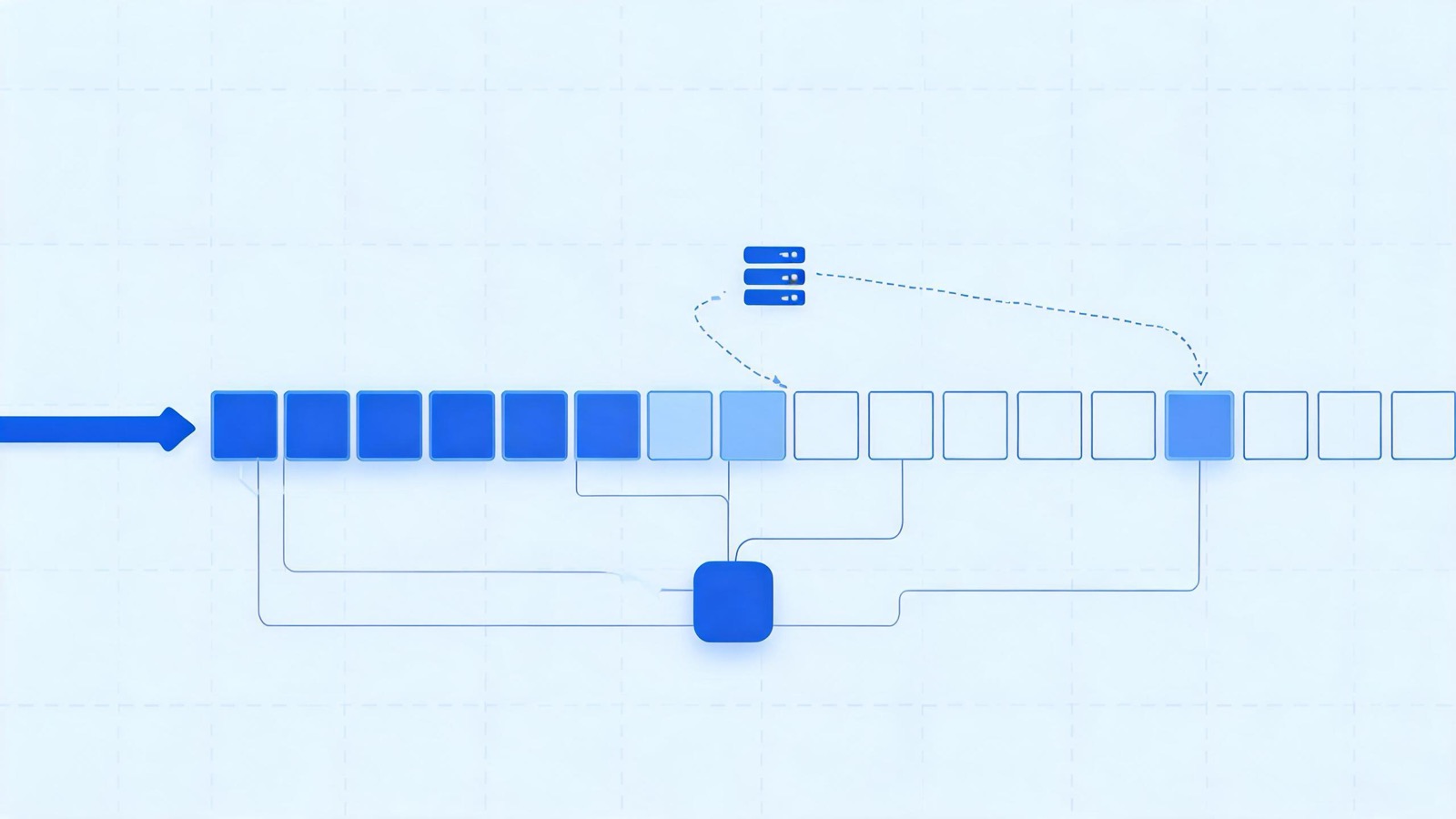
This article continues with the demo's actual values:
url = "https://assets.streampdf.com/PDF32000_2008.pdf";
rangeChunkSize = 65536; // 64KB
disableRange = false;
disableStream = false;
disableAutoFetch = false;
The demo server's response has already confirmed Range support. This article therefore follows the path of progressive full streaming in parallel with on-demand Range requests, rather than downloading the entire file in one go or cancelling the full stream and issuing only Range requests.
For the four network stream implementations and the complete validation function, see the network stream source walkthrough. This article focuses only on the
PDFFetchStream → PDFWorkerStream → NetworkPdfManager → ChunkedStreamManagercall chain actually taken by the demo.
ReaderHeadersReady: Range Capability Detection
Step 1: The Full Reader Sends a Regular GET First
After the worker's PDFWorkerStreamReader sends GetReader, the main thread executes:
this.#fullReader = this.#networkStream.getFullReader();The demo's networkStream is a PDFFetchStream, so this creates a PDFFetchStreamReader. Its constructor issues the first request:
fetch(url, {
  method: "GET",
  headers, // no Range header
  signal: this._abortController.signal,
  mode: "cors",
  credentials: "same-origin", // withCredentials = false
  redirect: "follow",
});
This is an ordinary full-file GET. PDF.js does not yet know whether the server supports Range, so it must obtain the response headers first.
Step 2: Response Headers Provide the Basis for Detection
The key response headers for the demo URL are:
HTTP/2 200
content-type: application/pdf
content-length: 22491828
accept-ranges: bytes
The response has no content-encoding, so the validation logic treats it as identity.
PDFFetchStreamReader then obtains:
this._reader = response.body.getReader();
this._contentLength = 22491828;
this._isStreamingSupported = true;  // !disableStream
this._isRangeSupported = false;     // awaiting validation
response.body.getReader() means the full response can be read in chunks. Whether to keep this stream depends on the combination of range capability and disableStream.
Step 3: All Five Checks Pass
validateRangeRequestCapabilities determines _isRangeSupported. Substituting the demo's actual response gives:
| Check | Demo value | Result |
|---|---|---|
Content-Length must be an integer | 22491828 | Pass; also yields contentLength |
The file must be larger than 2 * rangeChunkSize | 22491828 > 131072 | Pass |
| Range is not disabled by the user, and the URL uses HTTP(S) | disableRange = false, HTTPS | Pass |
Accept-Ranges must be bytes | bytes | Pass |
Content-Encoding must be identity | Header absent; treated as identity | Pass |
Therefore:
this._contentLength = 22491828;
this._isRangeSupported = true;
The second check is where the 64KB setup from Article 2 first takes effect: only when the file is larger than two chunks is it worthwhile to abandon a simple full download and enable range management.
Note that
disableRange = falseonly permits the use of range requests; it does not force them. The actual capability is determined by the response headers and file length.
Step 4: The Demo Does Not Cancel the Full Stream
In the fetch implementation, the full reader is cancelled only if the following condition holds:
if (!this._isStreamingSupported && this._isRangeSupported) {
  this.cancel(new AbortException("Streaming is disabled."));
}
In the demo:
this._isStreamingSupported = true;
this._isRangeSupported = true;
!this._isStreamingSupported evaluates to false, so the stream is not cancelled. The full stream continues delivering data from the beginning of the file toward the end; subsequent Range requests fill the regions that the parser needs immediately but that the full stream has not yet reached.
Finally, the reader resolves headersReady. The main thread's ReaderHeadersReady handler returns:
{
  isStreamingSupported: true,
  isRangeSupported: true,
  contentLength: 22491828,
}
When both capability values are true, the main thread also clears fullReader.onProgress; subsequent download progress is instead reported by the worker's DocProgress based on the chunks already loaded.
NetworkPdfManager: Splitting the File into 344 Chunks
Step 5: The Worker Selects a Manager Based on the Capability Values
After the worker-side PDFWorkerStreamReader receives the three capability values above, it resolves its own headersReady. getPdfManager enters the range branch:
pdfManagerArgs.source = pdfStream;
pdfManagerArgs.length = 22491828;
pdfManagerArgs.disableAutoFetch ||= fullReader.isStreamingSupported;
// false ||= true → true

newPdfManager = new NetworkPdfManager(pdfManagerArgs);
If the server did not support range requests, NetworkPdfManager would not be created here; the worker would wait for the full stream to finish and then use the complete bytes to create a LocalPdfManager. The demo uses the network manager instead.
There is another easy-to-miss assignment:
disableAutoFetch = true;It does not disable the full stream. Instead, it prevents ChunkedStreamManager from automatically prefetching other missing chunks after each chunk arrives. Because the demo's progressive full stream is already continuously supplying data, automatic Range prefetching would cause duplicate downloads.
Step 6: Splitting 22,491,828 Bytes into 344 Chunks
NetworkPdfManager creates a ChunkedStreamManager, which initializes:
this.chunkSize = 65536;
this.stream = new ChunkedStream(22491828, 65536, this);
this.disableAutoFetch = true;
ChunkedStream preallocates the complete address space and calculates the chunk count:
this.bytes = new Uint8Array(22491828);
this.numChunks = Math.ceil(22491828 / 65536); // 344
this._loadedChunks = new Set();               // initially empty
this.progressiveDataLength = 0;
The last chunk is not a full 64KB:
| Chunk | Start offset | End offset [begin, end) | Length |
|---|---|---|---|
0 | 0 | 65536 | 65536 |
1 | 65536 | 131072 | 65536 |
... | ... | ... | ... |
343 | 22478848 | 22491828 | 12980 |
bytes is only a container of the full file length; it does not mean the data has been downloaded. _loadedChunks records which regions actually contain bytes.
Step 7: Two Data Channels Feed the Same Chunk Store
The demo has two data supply paths at the same time:
| Path | Trigger | Write method |
|---|---|---|
| Progressive full stream | The worker continuously calls fullReader.read() | Writes sequentially from the progressiveDataLength position |
| On-demand Range | The parser encounters a missing region | Writes at the requested begin offset |
When data from the full stream reaches NetworkPdfManager:
sendProgressiveData(chunk) {
  this.streamManager.onReceiveData({ chunk }); // no begin
}
ChunkedStreamManager sees begin === undefined and writes it as progressive data:
const position = stream.progressiveDataLength;
stream.onReceiveProgressiveData(chunk);
// writes bytes[position...], updates progressiveDataLength and _loadedChunks
Range data carries an explicit begin and goes through stream.onReceiveData(begin, chunk). Both paths ultimately share the same bytes and _loadedChunks, so the parser does not need to know which channel supplied the data.
How Missing Bytes Become Range Requests
Step 8: The Parser Throws MissingDataException When It Reads a Missing Chunk
While parsing, PDFDocument reads bytes through ChunkedStream. Regions already covered by the progressive full stream can be read directly:
ensureRange(begin, end) {
  if (end <= this.progressiveDataLength) {
    return;
  }
  // otherwise check _loadedChunks chunk by chunk
}
If the target region extends beyond the progressive data, it still does not access the network immediately. Instead, it checks _loadedChunks first—the required region may already have arrived through another Range request.
If data is still missing, it throws:
throw new MissingDataException(begin, end);This exception identifies the byte range currently needed by the parser; it is not yet an HTTP request. For example, parsing the xref requires the end of the file while the progressive stream has reached only the beginning, producing this exception.
Step 9: NetworkPdfManager Fills the Gap and Retries the Original Operation
NetworkPdfManager.ensure is one of the unified entry points for document-level reads:
async ensure(obj, prop, args) {
  try {
    const value = obj[prop];
    if (typeof value === "function") {
      return await value.apply(obj, args);
    }
    return value;
  } catch (ex) {
    if (!(ex instanceof MissingDataException)) {
      throw ex;
    }
    await this.requestRange(ex.begin, ex.end);
    return this.ensure(obj, prop, args);
  }
}
It catches only MissingDataException:
- Requests the missing range;
- Waits for all chunks corresponding to the range to arrive;
- Re-executes the original
obj[prop]; - Rethrows other exceptions as usual, rather than using network retries to mask genuine parsing errors.
In Article 7, pdfManager.initDocument() internally passes through ensureDoc multiple times, and ensureDoc ultimately reuses this same ensure logic, so missing chunks during document initialization follow the same path.
Step 10: Aligning the Byte Range to 64KB Chunks
requestRange(begin, end) first converts the range into chunk numbers:
end = Math.min(end, 22491828);
const beginChunk = Math.floor(begin / 65536);
const endChunk = Math.floor((end - 1) / 65536) + 1;
Therefore, a Range request is not sent using the arbitrary byte count from the exception unchanged; instead, it is aligned outward to 64KB boundaries.
_requestChunks then does three things:
- Removes chunks that have already been loaded;
- Uses
_requestsByChunkto coalesce concurrent requests, avoiding duplicate downloads of the same chunk; - Uses
groupChunksto merge consecutive chunks into fewer, larger ranges.
const begin = groupedChunk.beginChunk * 65536;
const end = Math.min(groupedChunk.endChunk * 65536, 22491828);
this.sendRequest(begin, end);
So one HTTP Range request may cover only 64KB or multiple consecutive chunks. If only the last chunk is requested:
begin = 343 * 65536 = 22478848;
end = Math.min(344 * 65536, 22491828) = 22491828;
GetRangeReader: When the HTTP Request Is Actually Sent
Step 11: The Worker Sends a GetRangeReader Stream Message
ChunkedStreamManager.sendRequest(begin, end) calls:
const rangeReader = this.pdfStream.getRangeReader(begin, end);Here, pdfStream is the worker-side PDFWorkerStream. When creating the range reader, it sends:
const readableStream = msgHandler.sendWithStream("GetRangeReader", {
  begin,
  end,
});
this._reader = readableStream.getReader();
There is still no new HTTP request at this point. GetRangeReader merely requests a range reader across threads; the main thread decides whether to access the network.
Step 12: The Main Thread First Checks Whether the Full Stream Already Covers the Range
The main thread's GetRangeReader handler calls the base class method:
const rangeReader = this.#networkStream.getRangeReader(data.begin, data.end);The first part of the BasePDFStream.getRangeReader logic is:
if (end <= this._progressiveDataLength) {
  return null;
}
Here, _progressiveDataLength comes from the main thread's PDFFetchStreamReader._loaded and represents the number of bytes of the full response already downloaded to the main thread.
If [begin, end) is entirely covered, the data will arrive through the full stream even if it has not yet been fully delivered to the worker, so there is no need for another HTTP Range request. The main thread handles null as follows:
if (!rangeReader) {
  sink.close();
  return;
}
The worker's range reader then reads done = true, chunks.length === 0; because the demo has disableAutoFetch = true, sendRequest returns immediately and waits for the progressive stream to supply the missing data.
This is the first duplicate-prevention check: data already downloaded by the main thread is not requested again through Range.
Step 13: Add the Range Header Only When the Range Is Not Covered
If end > _progressiveDataLength, the main thread creates a PDFFetchStreamRangeReader:
const headers = new Headers(stream.headers);
headers.append("Range", `bytes=${begin}-${end - 1}`);
fetchUrl(url, headers, withCredentials, this._abortController);
Internally, PDF.js treats end as an exclusive upper bound, whereas HTTP Range uses an inclusive range, so the request header uses end - 1.
Taking the first chunk as an example:
GET /PDF32000_2008.pdf
Range: bytes=0-65535
The demo server actually returns:
HTTP/2 206
content-length: 65536
content-range: bytes 0-65535/22491828
For the last chunk, the corresponding request header is:
Range: bytes=22478848-22491827The range reader also compares the final origin of this response against the origin recorded for the full response, preventing byte offset semantics from changing after a redirect to a different origin.
Step 14: Range Bytes Return to the Worker Through the Stream Channel
The main thread similarly reads the range reader through sink.onPull:
sink.onPull = () => {
  rangeReader.read().then(({ value, done }) => {
    if (done) {
      sink.close();
      return;
    }
    sink.enqueue(new Uint8Array(value), 1, [value]);
  });
};
The worker's ChunkedStreamManager.sendRequest keeps reading until done and combines the response, which may be split across multiple frames:
const data = arrayBuffersToBytes(chunks);
this.onReceiveData({ chunk: data.buffer, begin });
ChunkedStream then validates the offset, writes to the shared container, and registers the chunk:
this.bytes.set(new Uint8Array(chunk), begin);
this._loadedChunks.add(curChunk);
The promise waiting for this range resolves only after all required chunks have arrived. ensure from Step 9 then retries the original parsing operation; this time ensureRange succeeds and parsing continues.
Because the demo has disableAutoFetch = true, receiving a chunk does not trigger automatic prefetching of the next missing chunk. The next Range request is still triggered by the parser's next actual missing chunk.
Three Layers of Deduplication Let the Two Channels Run Safely in Parallel
Running the progressive stream and Range requests in parallel seems simple, but avoiding duplicate downloads requires three layers of checks:
| Layer | Check | Problem avoided |
|---|---|---|
ChunkedStream.ensureRange | Whether _loadedChunks already contains the target chunk | Data already written to the worker is not requested again |
ChunkedStreamManager._requestChunks | Whether _requestsByChunk already has an in-flight request | Multiple parsing tasks do not download the same chunk more than once |
BasePDFStream.getRangeReader | Whether the main-thread full stream already covers end | Data downloaded but not yet sent to the worker is not fetched again over HTTP |
The complete cycle can be condensed to:
The parser reads missing bytes
  → MissingDataException(begin, end)
  → Caught by NetworkPdfManager.ensure
  → Align and merge 64KB chunks
  → PDFWorkerStream sends GetRangeReader
  → The main thread checks full-stream coverage
      Covered → sink.close; wait for progressive data
      Not covered → fetch(Range: bytes=begin-end-1)
  → Range data returns to the worker
  → Write to bytes + _loadedChunks
  → The requestRange promise resolves
  → Retry the original parsing operation
Why Document Readiness Does Not Require All 344 Chunks to Download
Article 7 showed that GetDoc requires only pdfManager.initDocument() and document-level metadata reads to succeed. In range mode, these operations require only relevant regions such as the file header, xref, and page tree—not all 344 chunks.
Therefore, the demo can reach the following state:
The full stream continues downloading sequentially in the background
  + The parser fills critical regions through a small number of Range requests
  → GetDoc arrives first
  → loadingTask.promise resolves first
  → The user can call getPage(1) and start rendering
  → The remaining chunks continue to arrive afterward
  → DataLoaded is sent only after everything is loaded
This is exactly why GetDoc and DataLoaded are separate: a document ready to parse and use does not have to mean the complete file has finished downloading.
Summary
This article followed the demo's real responses through network streams and Range requests:
GetReaderfirst creates a fullPDFFetchStreamReaderand sends an ordinary GET without a Range header;- The response provides
content-length: 22491828andaccept-ranges: bytes, and all five checks pass; - The demo supports both streaming and range, so the full stream is not cancelled;
- The worker creates a
NetworkPdfManagerand splits the file into 344 chunks of 64KB; disableAutoFetchbecomestruebecause streaming is enabled, avoiding duplicate prefetching alongside the progressive data supply;- The progressive full stream and Range data write to the same
ChunkedStream, sharingbytesand_loadedChunks; - When the parser encounters a missing chunk, it throws
MissingDataException, andNetworkPdfManager.ensureretries after requesting the data; - The missing byte range is first aligned to chunks, then deduplicated and merged into consecutive ranges;
- The main thread creates a
PDFFetchStreamRangeReaderonly for ranges not yet covered by the full stream, addingRange: bytes=begin-end-1; - Parsing is retried once the Range data has arrived, so
GetDocdoes not need to wait for the entire file to download.
At this point, all four "heavyweight players" deferred in Article 2 have been explored through the demo: PDFWorker, MessageHandler, WorkerTransport, and the network stream's range request strategy. Article 10 continues down Article 5's rendering chain to examine CanvasGraphics, which consumes the operatorList.
StreamPDF design principle: anything that can be handled ahead of time is absolutely not deferred to parse time; the server solves all performance problems once. The browser only fetches and renders the data it must.
Related articles
- PDF.js Deep Dive from Demo 10: CanvasGraphics and operatorList RenderingOctober 27, 2026
- PDF.js Deep Dive from Demo 8: PDFWorker.create and the Real/Fake Worker HandshakeOctober 27, 2026
- PDF.js Deep Dive from Demo 7: WorkerTransport InitializationOctober 27, 2026
- PDF.js Deep Dive from Demo 6: MessageHandler Cross-Thread CommunicationOctober 27, 2026
- PDF.js Deep Dive from Demo 5: renderOctober 27, 2026
- PDF.js Deep Dive from Demo 4: getViewportOctober 27, 2026
- PDF.js Deep Dive from Demo 3: getPageOctober 27, 2026
- PDF.js Deep Dive from Demo 2: getDocumentOctober 27, 2026
- PDF.js Source Walkthrough: TextLayerOctober 27, 2026
- PDF.js Source Walkthrough: font_loaderOctober 27, 2026
- PDF.js Source Walkthrough: obj_bin_transform_displayOctober 27, 2026
- PDF.js Source Walkthrough: PDFObjectsOctober 27, 2026
- PDF.js Source Walkthrough: Network StreamsOctober 27, 2026
- PDF.js Source Walkthrough: internal_evt.jsOctober 27, 2026
- PDF.js Source Walkthrough: math_clamp.jsOctober 27, 2026
- PDF.js Source Walkthrough: css_utils.jsOctober 27, 2026
- PDF.js Source Walkthrough: scripting_utilsOctober 27, 2026
- PDF.js Source Walkthrough: MurmurHash3_64October 27, 2026
- PDF.js Source Walkthrough: obj_bin_transform_utilsOctober 27, 2026
- PDF.js Source Walkthrough: image_utils.jsOctober 27, 2026
- PDF.js Source Walkthrough: BasePDFStreamOctober 27, 2026
- PDF.js Source Walkthrough: Shared UtilitiesOctober 27, 2026
- PDF.js Source Walkthrough: MessageHandlerOctober 27, 2026
- PDF.js Source Walkthrough: apiOctober 27, 2026
- PDF.js Source Walkthrough: fontsOctober 27, 2026
- PDF.js Source Walkthrough: glyphlistOctober 27, 2026
- PDF.js Source Walkthrough: binary_cmapOctober 27, 2026
- PDF.js Source Walkthrough: cmapOctober 27, 2026
- PDF.js Source Walkthrough: encodingsOctober 27, 2026
- PDF.js Source Walkthrough: metricsOctober 27, 2026
- PDF.js Source Walkthrough: standard_fontsOctober 27, 2026
- PDF.js Source Walkthrough: fonts_utilsOctober 27, 2026
- PDF.js Source Walkthrough: default_appearanceOctober 27, 2026
- PDF.js Source Walkthrough: metadata_parserOctober 27, 2026
- PDF.js Source Walkthrough: name_number_treeOctober 27, 2026
- PDF.js Source Walkthrough: struct_treeOctober 27, 2026
- PDF.js Source Walkthrough: catalogOctober 27, 2026
- PDF.js Source Walkthrough: pdf_managerOctober 27, 2026
- PDF.js Source Walkthrough: object_loaderOctober 27, 2026
- PDF.js Source Walkthrough: obj_bin_transform_coreOctober 27, 2026
- PDF.js Source Walkthrough: cryptoOctober 27, 2026
- PDF.js Source Walkthrough: core_utilsOctober 27, 2026
- PDF.js Source Walkthrough: primitivesOctober 27, 2026
- PDF.js Source Walkthrough: worker_streamOctober 27, 2026
- PDF.js Source Walkthrough: ccitt_streamOctober 27, 2026
- PDF.js Source Walkthrough: jpx_streamOctober 27, 2026
- PDF.js Source Walkthrough: jbig2_streamOctober 27, 2026
- PDF.js Source Walkthrough: jpeg_streamOctober 27, 2026
- PDF.js Source Walkthrough: decrypt_streamOctober 27, 2026
- PDF.js Source Walkthrough: brotli_streamOctober 27, 2026
- PDF.js Source Walkthrough: run_length_streamOctober 27, 2026
- PDF.js Source Walkthrough: ascii_hex_streamOctober 27, 2026
- PDF.js Source Walkthrough: ascii_85_streamOctober 27, 2026
- PDF.js Source Walkthrough: lzw_streamOctober 27, 2026
- PDF.js Source Walkthrough: predictor_streamOctober 27, 2026
- PDF.js Source Walkthrough: flate_streamOctober 27, 2026
- PDF.js Source Walkthrough: decode_streamOctober 27, 2026
- PDF.js Source Walkthrough: chunked_streamOctober 27, 2026
- PDF.js Source Walkthrough: streamOctober 27, 2026
- PDF.js Source Walkthrough: base_streamOctober 27, 2026
- PDF.js Deep Dive 11: ParserOctober 26, 2026
- PDF.js Deep Dive 10: XRefOctober 26, 2026
- PDF.js Deep Dive 9: CanvasGraphicsOctober 26, 2026
- PDF.js Deep Dive 8: PDFDocumentOctober 26, 2026
- The AI Era: What Should We Do to Survive? (Reflections on Founding StreamPDF)October 26, 2026
- PDF.js Deep Dive 7: PartialEvaluatorOctober 25, 2026
- PDF.js Deep Dive 6: PDFManager.initDocumentOctober 25, 2026
- PDF.js Deep Dive 5: PDFFetchStream and PDFWorkerStreamOctober 25, 2026
- PDF.js Deep Dive 4: MessageHandlerOctober 22, 2026
- PDF.js Deep Dive 3: getViewport & renderOctober 22, 2026
- PDF.js Deep Dive from Demo 1: Rendering a PDF with a Custom ViewerOctober 19, 2026
- PDF.js Deep Dive 2: getDocument & getPageOctober 19, 2026
- PDF.js Deep Dive 1: The Architecture of PDF.jsOctober 16, 2026