
PDF.js Deep Dive from Demo 8: PDFWorker.create and the Real/Fake Worker Handshake
October 27, 2026 · StreamPDF Team
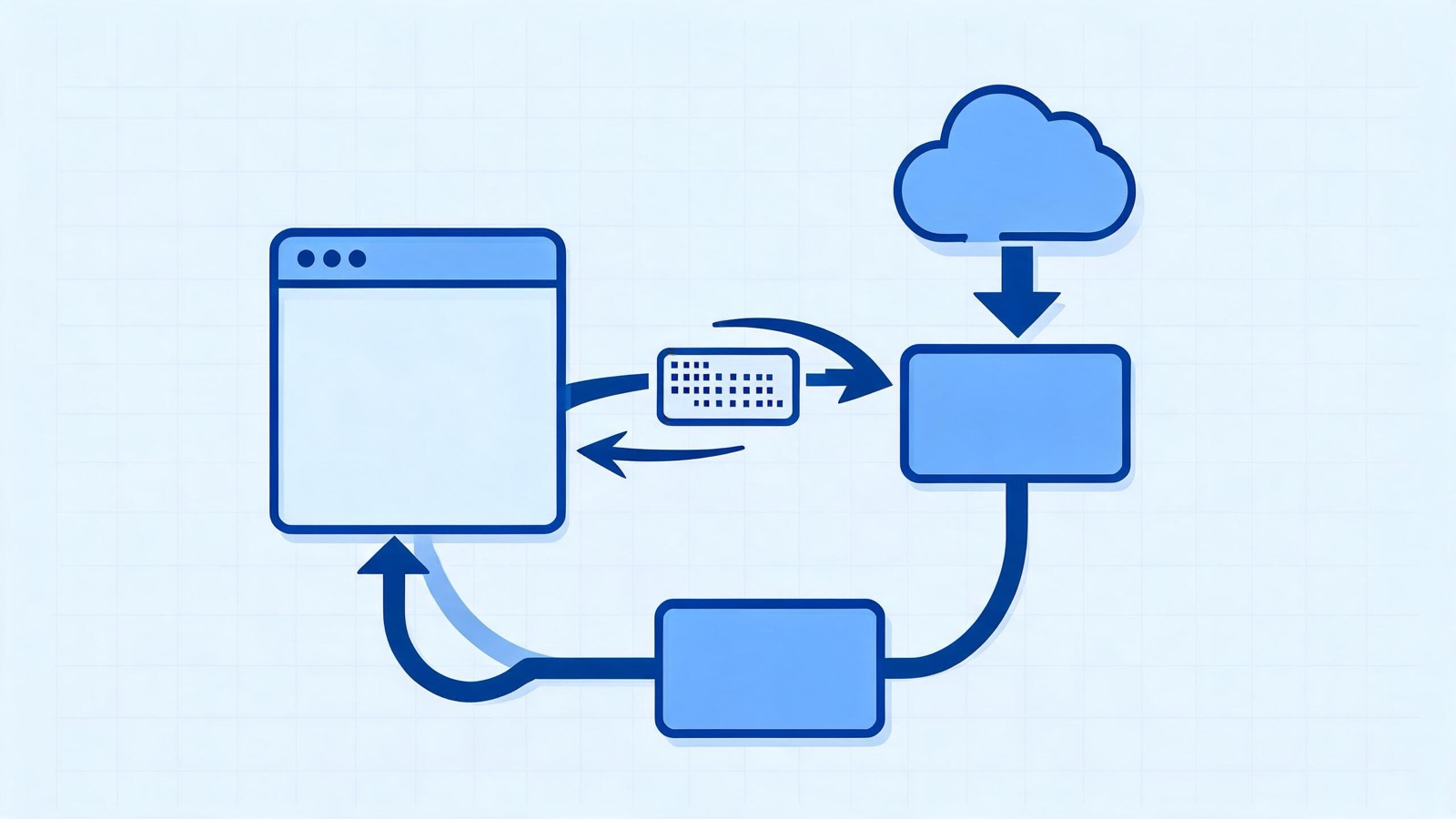
Introduction
Article 7 went from WorkerTransport to GetDoc. This article returns to an earlier point to fill in the call deliberately skipped in lines 26-33 of Article 2:
worker = PDFWorker.create({
  verbosity: undefined,
  port: undefined, // GlobalWorkerOptions.workerPort; not set in the demo
});
task._worker = worker;
The first article has already configured:
pdfjsLib.GlobalWorkerOptions.workerSrc =
  "https://cdn.jsdelivr.net/npm/pdfjs-dist@6.3.289/build/pdf.worker.mjs";
Following these two concrete configurations, this article answers four questions:
- Does
PDFWorker.createreturn synchronously, or only after the worker starts? - How does a
workerSrcon a CDN become a browserWorker? - How do the
readyandtestmessages form the startup handshake? - When a real worker is unavailable, how does a fake worker leave the subsequent code unchanged?
This article follows only the worker's creation and readiness path.
GetDocRequestis the next message after a successful handshake; the document-levelMessageHandlerandWorkerTransportare covered in Articles 6 and 7, respectively. For the complete class structure, see the api.js source code walkthrough.
The PDFWorker.create Call
Step 1: create Checks the Shared Port Cache First
PDFWorker.create itself is very short:
static create(params) {
  const cachedPort = this.#workerPorts.get(params?.port);
  if (cachedPort) {
    if (cachedPort._pendingDestroy) {
      throw new Error("PDFWorker.create - the worker is being destroyed...");
    }
    return cachedPort;
  }
  return new PDFWorker(params);
}
It is a synchronous factory with only two possible outcomes:
- The user provided a reusable
port, and the cache already contains aPDFWorker: return the existing instance directly; - Otherwise: create a new instance.
The demo's params.port = undefined means there is no reusable port, so it enters new PDFWorker(params). task._worker = worker stores this new instance for cleanup when the loading task is destroyed.
createis not an async function and does not return a promise. The new instance is returned synchronously, while the startup result is exposed through the instance'sworker.promise.
Step 2: The Constructor Applies Defaults to undefined
The constructor parameters are destructured:
constructor({
  name = null,
  port = null,
  verbosity = getVerbosityLevel(),
} = {}) {
  this.name = name;
  this.destroyed = false;
  this.verbosity = verbosity;

  if (port) {
    // Branch for a user-provided shared worker
  } else {
    this.#initialize();
  }
}
JavaScript defaults take effect when a property value is undefined, so the demo actually gets:
| Field | Value | Source |
|---|---|---|
name | null | Not passed |
port | null | Explicitly passed as undefined, triggering the default |
verbosity | 1 | getVerbosityLevel(), defaulting to VerbosityLevel.WARNINGS |
destroyed | false | Initialized during construction |
Because port is falsy, the demo enters #initialize() and attempts to create a real worker.
Step 3: Check Whether It Can Fall Back Immediately
At the beginning of #initialize(), two conditions are checked:
if (
  PDFWorker.#isWorkerDisabled ||
  PDFWorker.#mainThreadWorkerMessageHandler
) {
  this.#setupFakeWorker();
  return;
}#isWorkerDisabled: Node environments set this totrueduring class initialization; in a browser, it is also set totrueif a fallback has occurred previously, so later documents do not repeatedly try a real worker;#mainThreadWorkerMessageHandler: if the main thread already provides a worker implementation throughglobalThis.pdfjsWorker, use it directly.
In the demo's first creation in an ordinary browser, neither condition is met, so the real-worker path continues.
From workerSrc to new Worker
Step 4: Read GlobalWorkerOptions.workerSrc
let { workerSrc } = PDFWorker;This getter does not simply return an empty value:
static get workerSrc() {
  if (GlobalWorkerOptions.workerSrc) {
    return GlobalWorkerOptions.workerSrc;
  }
  throw new Error('No "GlobalWorkerOptions.workerSrc" specified.');
}
The demo already set the CDN URL in the first article, so this produces the full https://cdn.jsdelivr.net/.../pdf.worker.mjs. If it were not set, the exception would be caught by the outer try...catch in #initialize(), which would then try a fake worker; but the fake worker also needs to load this code, so the official recommendation is to always configure workerSrc explicitly.
Step 5: The Demo Hits the CDN Blob Wrapper
The demo page is on streampdf.com, while the worker file is on cdn.jsdelivr.net; they are cross-origin. Browsers do not allow a cross-origin URL to be passed directly to new Worker(...), so PDF.js first checks:
if (!PDFWorker._isSameOrigin(window.location, workerSrc)) {
  workerSrc = PDFWorker._createCDNWrapper(
    new URL(workerSrc, window.location).href
  );
}
_createCDNWrapper does not download the source; it only generates a tiny module wrapper:
const wrapper = `await import("${url}");`;
return URL.createObjectURL(
  new Blob([wrapper], { type: "text/javascript" })
);
As a result, workerSrc changes from a CDN URL to a same-origin blob: URL. Inside the wrapper module, import() then loads the ES module from the CDN.
Calling new Worker("https://cdn.jsdelivr.net/...") directly  // cross-origin; rejected

new Worker("blob:...", { type: "module" })
  → the blob module executes await import("https://cdn.jsdelivr.net/...")
  → the CDN returns a worker module that supports cross-origin loading
Step 6: Create the Worker and Global MessageHandler
const worker = new Worker(workerSrc, { type: "module" });
const messageHandler = new MessageHandler("main", "worker", worker);
This MessageHandler, named main ↔ worker, serves the global channel for the entire worker. At this point, only global messages such as test, configure, and GetDocRequest are registered.
Article 6's d1 ↔ d1_worker is created later, while handling GetDocRequest, and serves a single document. Do not confuse the two channel levels:
| Channel | Creation time | Typical messages |
|---|---|---|
main ↔ worker | After the Worker is created in this article | ready, test, configure, GetDocRequest |
d1 ↔ d1_worker | When the worker handles GetDocRequest | Ready, GetDoc, GetPage, GetOperatorList |
The main thread then registers three event handlers for error, test, and ready in preparation for the handshake.
The Two-Way ready/test Handshake
Step 7: The Main Thread Immediately Sends the First test
The definition of sendTest and its first call are:
const sendTest = () => {
  const testObj = new Uint8Array();
  messageHandler.send("test", testObj, [testObj.buffer]);
};

sendTest();
The payload is an empty Uint8Array, whose ArrayBuffer is included in the transfer list. The test is not intended to transfer PDF data, but to verify two basic capabilities:
- The message channel between the main thread and the worker works;
- After passing through
postMessage, a TypedArray retains the correct type on the worker side.
PDF bytes, fonts, and image data all subsequently depend on this binary channel, so startup begins with a minimal-cost capability probe.
Step 8: The Worker Starts and Sends ready
pdf.worker.mjs loads WorkerMessageHandler. When its static block detects that the current environment is a worker, it executes:
this.initializeFromPort(self);The initialization function establishes the other side of the global channel:
static initializeFromPort(port) {
  const handler = new MessageHandler("worker", "main", port);
  this.setup(handler, port);
  handler.send("ready", null);
}
setup registers three handlers relevant to this article:
handler.on("test", ...);
handler.on("configure", ...);
handler.on("GetDocRequest", ...);
The worker then proactively sends ready. This message only means "the worker code is loaded and global message routing is registered"; it does not mean a PDF document is loaded—the worker has not even received docParams yet.
Step 9: ready Triggers a Second test
The main thread's ready handler calls sendTest() again:
messageHandler.on("ready", data => {
  ac.abort();
  if (this.destroyed) {
    terminateEarly();
    return;
  }
  try {
    sendTest();
  } catch {
    this.#setupFakeWorker();
  }
});
Therefore, during one normal startup, the main thread may send test twice:
- Once immediately after creating the
Worker; - Again after receiving
ready.
The worker uses a closure variable to ensure that only the first message is processed:
let testMessageProcessed = false;
handler.on("test", data => {
  if (testMessageProcessed) {
    return;
  }
  testMessageProcessed = true;
  handler.send("test", data instanceof Uint8Array);
});
If the first test is queued while the worker initializes, the second send after ready provides a fallback; if the first has already been processed, the second is ignored. Sending twice eliminates timing races caused by differences in script loading speed.
readytravels from worker → main thread and means the worker script is ready; Article 7'sReadytravels from main thread → worker and means the document-level main-thread routing is ready. The capitalization, semantics, and stage are all different.
Step 10: The test Reply Makes worker.promise Ready
After handling the first test, the worker sends back a boolean:
handler.send("test", data instanceof Uint8Array);When the main thread receives true:
messageHandler.on("test", data => {
  ac.abort();
  if (this.destroyed || !data) {
    terminateEarly();
    return;
  }
  this.#messageHandler = messageHandler;
  this.#port = worker;
  this.#webWorker = worker;
  this.#resolve();
});
Only at this moment are the three fields attached to the PDFWorker instance. Although new PDFWorker(params) returned synchronously earlier, startup had not yet been declared successful.
#resolve() does two things:
#resolve() {
  this.#capability.resolve();
  this.#messageHandler.send("configure", {
    verbosity: this.verbosity,
  });
}- It resolves
worker.promise, whose value isundefined(Promise<void>), not another worker object; - It sends
configure, synchronizingverbosity = 1to the worker in the demo, and the worker callssetVerbosityLevel(1).
If the test reply is false, or the task is destroyed while waiting, the main thread does not resolve the promise and instead enters a cleanup or fallback path.
Step 11: Join gpuPromise
Only after the real-worker handshake succeeds is the waiting condition from Article 2 satisfied:
Promise.all([worker.promise, gpuPromise]).then(([, hasGPU]) => {
  // Backfill hasGPU, then send GetDocRequest
});
The demo's gpuPromise = Promise.resolve(false) completed long ago, so the actual wait is for worker.promise.
The complete sequence is therefore:
PDFWorker.create returns synchronously
  → new Worker / ready / test proceed in the background
  → the test reply is true
  → worker.promise resolves
  → Promise.all continues
  → GetDocRequest is sent
  → the document-level d1 ↔ d1_worker channel is created
The return value of PDFWorker.create and worker.promise answer "has the instance been created?" and "is the instance operational?", respectively; the two must not be conflated.
Fake Worker: The Same Protocol on the Main Thread
When Fallback Occurs
Any startup failure on the real-worker path may enter #setupFakeWorker():
| Situation | Handling |
|---|---|
| Node environment or worker previously disabled | Fall back immediately |
Main thread already has globalThis.pdfjsWorker | Use that implementation directly |
new Worker(...) or an early sendTest() throws | Catch and fall back |
error fires during worker initialization | Clean up the port and Worker, then fall back |
test replies with false | Clean up and fall back |
PDFWorker.destroy() while waiting | Do not fall back; reject worker.promise |
terminateEarly aborts event listeners, destroys the global MessageHandler, and calls worker.terminate(), preventing a failed real worker from remaining in the background.
LoopbackPort Replaces the Thread Boundary
The fake worker first obtains WorkerMessageHandler through a dynamic import(this.workerSrc), then establishes a local loopback port:
const port = new LoopbackPort();
const id = `fake${PDFWorker.#fakeWorkerId++}`; // fake0 on the first call

const workerHandler = new MessageHandler("fake0_worker", "fake0", port);
WorkerMessageHandler.setup(workerHandler, port);

this.#port = port;
this.#messageHandler = new MessageHandler("fake0", "fake0_worker", port);
this.#resolve();
It no longer creates a Worker or performs the ready/test handshake. WorkerMessageHandler.setup directly registers the same set of test, configure, and GetDocRequest handlers on the main thread, after which worker.promise becomes ready.
LoopbackPort provides the same postMessage / message-listening interface as a real Worker, so subsequent calls remain unchanged:
worker.messageHandler.sendWithPromise("GetDocRequest", docParams);The only difference is where execution occurs: a real worker moves parsing to another thread, while a fake worker runs the same code on the main thread. The MessageHandler and WorkerTransport from Articles 6 and 7 do not need to know which one is active.
Not Taken by the Demo: The Shared workerPort Branch
If the user instead sets:
pdfjsLib.GlobalWorkerOptions.workerPort = myWorker;PDFWorker.create({ port: myWorker }) checks #workerPorts first:
- Cached and without
_pendingDestroy: return the existingPDFWorker, allowing multiple documents to share the same worker; - Cached but being destroyed: throw immediately to prevent obtaining a half-destroyed instance;
- Not cached:
new PDFWorker({ port })enters#initializeFromPort(port).
#initializeFromPort does not read workerSrc or send test:
this.#port = port;
this.#messageHandler = new MessageHandler("main", "worker", port);
this.#messageHandler.on("ready", () => {
  // The external port should already be initialized; ignore ready
});
this.#resolve();
This is because the caller provides an already initialized Worker that PDF.js can use directly. The demo does not set workerPort, so it takes the complete creation and testing path covered earlier in this article.
Summary
This article followed the demo through the complete PDFWorker.create startup chain:
createsynchronously checks the shared port cache; the demo misses the cache and creates a newPDFWorker;undefinedconstructor parameters trigger the defaults:port = null,verbosity = 1;- It reads the
GlobalWorkerOptions.workerSrcconfigured in the first article; - The demo's CDN URL is cross-origin, so it generates a same-origin Blob module wrapper and then creates the
Worker; - The main thread establishes the
main ↔ workerglobalMessageHandlerand immediately sends the firsttest; - After the worker script initializes, it registers the global handlers and sends
ready, and the main thread sends anothertest; - The worker processes only the first
test, checks theUint8Arraytype, and replies with a boolean; - The main thread receives
true, saves the port and handler, resolvesworker.promise, and then sendsconfigure; Promise.all([worker.promise, gpuPromise])continues, and only afterwards isGetDocRequestsent;- If real-worker startup fails, a dynamic import +
LoopbackPortruns the same worker protocol on the main thread, with no changes required in the upper layers.
PDFWorker is therefore not a simple new Worker wrapper: it is responsible for startup timing, binary capability probing, shared port reuse, and transparent fallback. This is also why Article 2 can rely on worker.promise alone to wait for the subsequent handshake.
Article 9 returns to the GetReader hook left in Article 7 and examines the network stream's range capability detection and GetRangeReader request strategy.
StreamPDF design principle: anything that can be handled ahead of time is absolutely not deferred to parse time; the server solves all performance problems once. The browser only fetches and renders the data it must.
Related articles
- PDF.js Deep Dive from Demo 10: CanvasGraphics and operatorList RenderingOctober 27, 2026
- PDF.js Deep Dive from Demo 9: Network Streams and Range RequestsOctober 27, 2026
- PDF.js Deep Dive from Demo 7: WorkerTransport InitializationOctober 27, 2026
- PDF.js Deep Dive from Demo 6: MessageHandler Cross-Thread CommunicationOctober 27, 2026
- PDF.js Deep Dive from Demo 5: renderOctober 27, 2026
- PDF.js Deep Dive from Demo 4: getViewportOctober 27, 2026
- PDF.js Deep Dive from Demo 3: getPageOctober 27, 2026
- PDF.js Deep Dive from Demo 2: getDocumentOctober 27, 2026
- PDF.js Source Walkthrough: TextLayerOctober 27, 2026
- PDF.js Source Walkthrough: font_loaderOctober 27, 2026
- PDF.js Source Walkthrough: obj_bin_transform_displayOctober 27, 2026
- PDF.js Source Walkthrough: PDFObjectsOctober 27, 2026
- PDF.js Source Walkthrough: Network StreamsOctober 27, 2026
- PDF.js Source Walkthrough: internal_evt.jsOctober 27, 2026
- PDF.js Source Walkthrough: math_clamp.jsOctober 27, 2026
- PDF.js Source Walkthrough: css_utils.jsOctober 27, 2026
- PDF.js Source Walkthrough: scripting_utilsOctober 27, 2026
- PDF.js Source Walkthrough: MurmurHash3_64October 27, 2026
- PDF.js Source Walkthrough: obj_bin_transform_utilsOctober 27, 2026
- PDF.js Source Walkthrough: image_utils.jsOctober 27, 2026
- PDF.js Source Walkthrough: BasePDFStreamOctober 27, 2026
- PDF.js Source Walkthrough: Shared UtilitiesOctober 27, 2026
- PDF.js Source Walkthrough: MessageHandlerOctober 27, 2026
- PDF.js Source Walkthrough: apiOctober 27, 2026
- PDF.js Source Walkthrough: fontsOctober 27, 2026
- PDF.js Source Walkthrough: glyphlistOctober 27, 2026
- PDF.js Source Walkthrough: binary_cmapOctober 27, 2026
- PDF.js Source Walkthrough: cmapOctober 27, 2026
- PDF.js Source Walkthrough: encodingsOctober 27, 2026
- PDF.js Source Walkthrough: metricsOctober 27, 2026
- PDF.js Source Walkthrough: standard_fontsOctober 27, 2026
- PDF.js Source Walkthrough: fonts_utilsOctober 27, 2026
- PDF.js Source Walkthrough: default_appearanceOctober 27, 2026
- PDF.js Source Walkthrough: metadata_parserOctober 27, 2026
- PDF.js Source Walkthrough: name_number_treeOctober 27, 2026
- PDF.js Source Walkthrough: struct_treeOctober 27, 2026
- PDF.js Source Walkthrough: catalogOctober 27, 2026
- PDF.js Source Walkthrough: pdf_managerOctober 27, 2026
- PDF.js Source Walkthrough: object_loaderOctober 27, 2026
- PDF.js Source Walkthrough: obj_bin_transform_coreOctober 27, 2026
- PDF.js Source Walkthrough: cryptoOctober 27, 2026
- PDF.js Source Walkthrough: core_utilsOctober 27, 2026
- PDF.js Source Walkthrough: primitivesOctober 27, 2026
- PDF.js Source Walkthrough: worker_streamOctober 27, 2026
- PDF.js Source Walkthrough: ccitt_streamOctober 27, 2026
- PDF.js Source Walkthrough: jpx_streamOctober 27, 2026
- PDF.js Source Walkthrough: jbig2_streamOctober 27, 2026
- PDF.js Source Walkthrough: jpeg_streamOctober 27, 2026
- PDF.js Source Walkthrough: decrypt_streamOctober 27, 2026
- PDF.js Source Walkthrough: brotli_streamOctober 27, 2026
- PDF.js Source Walkthrough: run_length_streamOctober 27, 2026
- PDF.js Source Walkthrough: ascii_hex_streamOctober 27, 2026
- PDF.js Source Walkthrough: ascii_85_streamOctober 27, 2026
- PDF.js Source Walkthrough: lzw_streamOctober 27, 2026
- PDF.js Source Walkthrough: predictor_streamOctober 27, 2026
- PDF.js Source Walkthrough: flate_streamOctober 27, 2026
- PDF.js Source Walkthrough: decode_streamOctober 27, 2026
- PDF.js Source Walkthrough: chunked_streamOctober 27, 2026
- PDF.js Source Walkthrough: streamOctober 27, 2026
- PDF.js Source Walkthrough: base_streamOctober 27, 2026
- PDF.js Deep Dive 11: ParserOctober 26, 2026
- PDF.js Deep Dive 10: XRefOctober 26, 2026
- PDF.js Deep Dive 9: CanvasGraphicsOctober 26, 2026
- PDF.js Deep Dive 8: PDFDocumentOctober 26, 2026
- The AI Era: What Should We Do to Survive? (Reflections on Founding StreamPDF)October 26, 2026
- PDF.js Deep Dive 7: PartialEvaluatorOctober 25, 2026
- PDF.js Deep Dive 6: PDFManager.initDocumentOctober 25, 2026
- PDF.js Deep Dive 5: PDFFetchStream and PDFWorkerStreamOctober 25, 2026
- PDF.js Deep Dive 4: MessageHandlerOctober 22, 2026
- PDF.js Deep Dive 3: getViewport & renderOctober 22, 2026
- PDF.js Deep Dive from Demo 1: Rendering a PDF with a Custom ViewerOctober 19, 2026
- PDF.js Deep Dive 2: getDocument & getPageOctober 19, 2026
- PDF.js Deep Dive 1: The Architecture of PDF.jsOctober 16, 2026