
PDF.js Deep Dive from Demo 6: MessageHandler Cross-Thread Communication
October 27, 2026 · StreamPDF Team
Introduction
The summary of Article 2 listed four "heavyweight players"; this article tackles the second: MessageHandler's messaging mechanism.
Across the previous five articles' demos, MessageHandler has appeared four times, each with a different call shape:
| Call | Appears in | Shape | Payload |
|---|---|---|---|
messageHandler.send("Ready", null) | Article 2 | Pure action | Declares the end of the handshake |
worker.messageHandler.sendWithPromise("GetDocRequest", docParams) | Article 2 | Action + callbackId | Cross-thread parameter bundle |
messageHandler.sendWithPromise("GetPage", { pageIndex: 0 }) | Article 3 | Action + callbackId | Page number request |
messageHandler.sendWithStream("GetOperatorList", { pageId: 0, ... }) | Article 5 | Action + streamId | Streaming operatorList |
The first two are both "one-shot request, one-shot reply"; the fourth is a streaming channel where the producer pushes in chunks and the consumer pulls by backpressure. This article picks up from where Article 2 creates the handler, walks through these four calls, and traces MessageHandler's internal envelope protocol and the full flow of all three shapes.
If you want to read both the caller's perspective (as used in the api.js articles) and the protocol implementation perspective (this article), cross-reference with the MessageHandler source code walkthrough. This article does not repeat the API list from that walkthrough — it focuses only on the actual execution path that happens in the demo.
Creation: Right After the Handshake Receives workerId
At Article 2, line 261, the worker replies to the GetDocRequest handshake with its workerId. The main thread immediately creates a MessageHandler:
const messageHandler = new MessageHandler(docId, workerId, worker.port);
// docId = "d1"
// workerId = id self-assigned by the worker (typically "worker" or a similar string in demos)
// worker.port = the Worker object itself (Worker is also a MessagePort-like)
The three parameters are stored into instance fields:
this.sourceName = "d1";       // Who am I
this.targetName = workerId;   // Who am I talking to
this.comObj     = worker.port; // Where do I send messages
this.callbackId = 1;          // callbackId for the next request
this.streamId   = 1;          // streamId for the next streaming channel
this.callbackCapabilities = {}; // callbackId → Promise.withResolvers()
this.actionHandler        = {}; // actionName → handler (WorkerTransport registers these later)
this.streamControllers    = {}; // streamId → ReadableStream controller (streams I initiate)
this.streamSinks          = {}; // streamId → sink (streams initiated by the peer, I am the producer)

comObj.addEventListener("message", this.#onMessage.bind(this), { signal: this.#messageAC.signal });
The constructor does just two things: builds four empty maps, and binds #onMessage into the worker.port's message event. At this point actionHandler is still empty — all business handlers are registered later by WorkerTransport.setupMessageHandler() via .on(...).
Design note: MessageHandler itself has zero knowledge of business semantics. It only recognizes three key fields of the "envelope" (
action,callbackId,streamId) — it does not knowGetDocRequestorGetPageas action names. All business semantics live inWorkerTransport's.on(...)registry. This makes MessageHandler reusable across any two endpoints: main thread ↔ worker, main thread ↔ main thread (LoopbackPort), and even future main thread ↔ iframe scenarios.
The Envelope Protocol: Three Mutually Exclusive Shapes
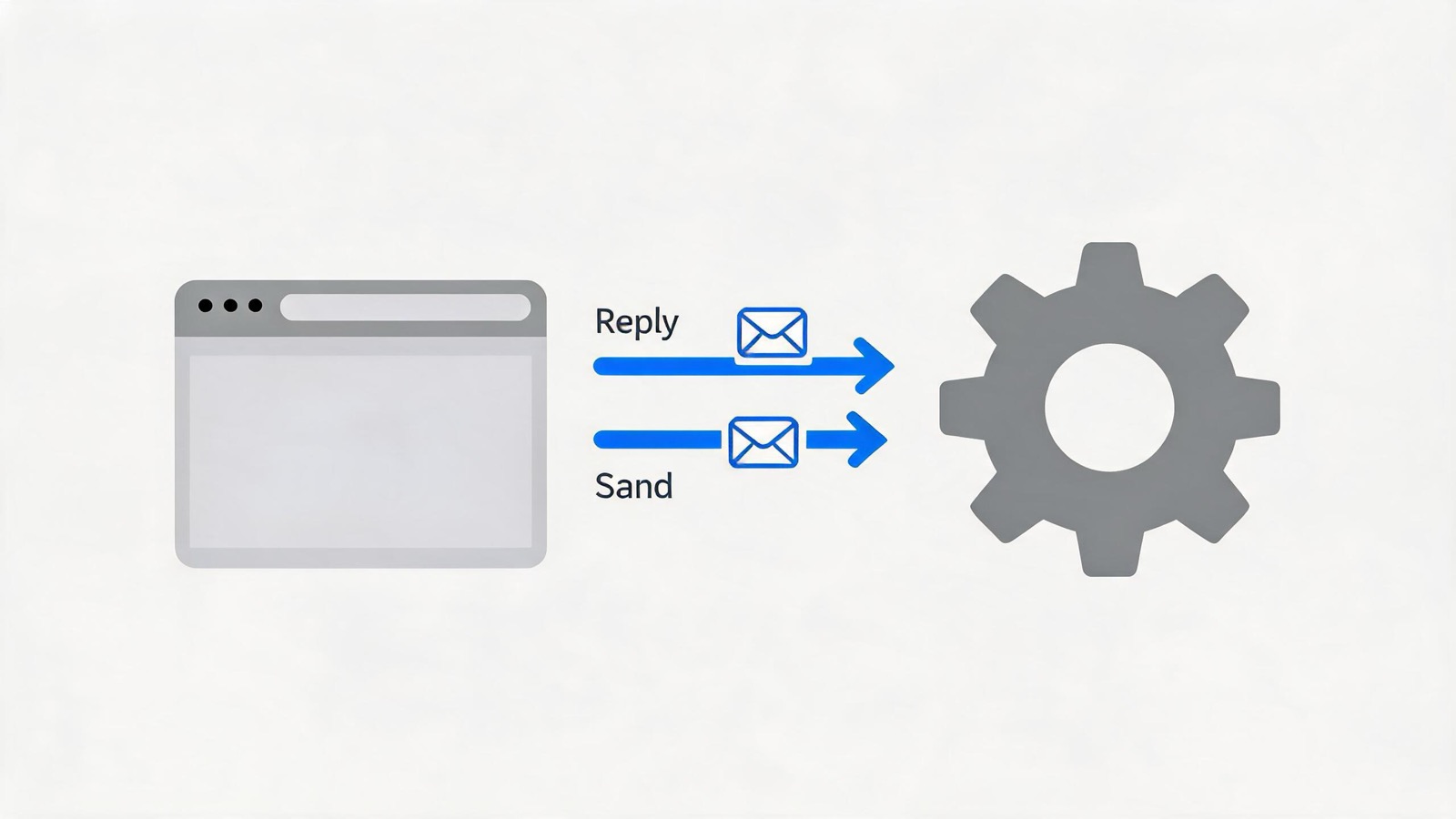
Every message that crosses comObj.postMessage is wrapped in the same envelope. On top of the envelope, messages are dispatched by shape based on four key fields: stream / callback / callbackId / streamId:
#onMessage({ data }) {
  if (data.targetName !== this.sourceName) return;

  if (data.stream)   { /* Stream control or stream data: PULL/ENQUEUE/CLOSE/... */ }
  if (data.callback) { /* Pure reply: peer gives me an answer, carries callbackId */ }

  // The rest are actions
  const action = this.actionHandler[data.action];
  if (data.callbackId) { /* action + callbackId: must send a callback reply after execution */ }
  else if (data.streamId) { /* action + streamId: create a sink after execution, no action-shape reply */ }
  else { /* pure action, fire-and-forget */ }
}
Strict order: stream → callback → action, mutually exclusive — a single message takes exactly one path. If two fields appear simultaneously (e.g., both stream and callback), the envelope was assembled incorrectly, and #onMessage will miss one of them.
sourceName / targetName are soft routing: if they don't match, the function simply returns without throwing. The demo has only one document (d1 ↔ worker), so every message matches; if you run two documents simultaneously, the second document's d2 MessageHandler will automatically ignore d1's messages — no extra isolation logic required.
Shape 1: Pure Action — the Ready Announcement
The final step of the handshake in Article 2:
messageHandler.send("Ready", null);send is the simplest path:
send(actionName, data, transfers) {
  this.comObj.postMessage({
    sourceName: this.sourceName,  // "d1"
    targetName: this.targetName,  // "worker"
    action: actionName,           // "Ready"
    data,                         // null
  }, transfers);                  // undefined
}
The envelope has no callbackId, no streamId, and no stream field. When the peer worker's MessageHandler receives it, #onMessage falls through to the final else branch and directly invokes this.actionHandler["Ready"]. The worker side has registered this handler, which does things like "mark myself as ready". When it's done, it's done — no reply is sent. This is fire-and-forget.
This message is easy to miss in the demo because it does not affect any promise or return value. But WorkerTransport registers a large number of callbackId-carrying action handlers in setupMessageHandler (GetDoc / GetPage / SaveDocument, etc.) — all request-reply channels live there. send is only used for "notification" messages: Ready, configure(verbosity), and later Terminate.
Shape 2: Action + callbackId — GetPage to Fetch the First Page
The demo's canonical request-reply occurs in Article 3's pdf.getPage(1):
const promise = messageHandler
  .sendWithPromise("GetPage", { pageIndex: 0 });
The sending side of sendWithPromise
sendWithPromise(actionName, data, transfers) {
  const callbackId = this.callbackId++;  // 1, increments on each request
  const capability = Promise.withResolvers();
  this.callbackCapabilities[callbackId] = capability;
  try {
    comObj.postMessage({
      sourceName: "d1", targetName: "worker",
      action: "GetPage", callbackId: 1,
      data: { pageIndex: 0 },
    }, transfers);
  } catch (ex) {
    capability.reject(ex);
  }
  return capability.promise;
}
The only difference from send: it carries a callbackId, and stores the capability resolver in the this.callbackCapabilities[1] table. After postMessage returns, the promise is still pending — it must wait for the worker to send a callback-shape message back to resolve it.
The envelope has no streamId, so the peer worker's #onMessage will not take the streaming branch. It takes the action branch, finds that the envelope carries callbackId, and handles it as "must send a reply after execution".
Peer-side handling: the semantics of action + callbackId
The worker-side MessageHandler's #onMessage receives the envelope:
const action = this.actionHandler["GetPage"]; // handler registered on the worker side
if (data.callbackId) {
  Promise.try(action, data.data).then(
    result => comObj.postMessage({
      sourceName: "worker", targetName: "d1",
      callback: CallbackKind.DATA,
      callbackId: 1,
      data: result, // parsed pageInfo
    }),
    reason => comObj.postMessage({
      sourceName: "worker", targetName: "d1",
      callback: CallbackKind.ERROR,
      callbackId: 1,
      reason: wrapReason(reason),
    })
  );
  return;
}
The action field no longer appears in the reply — the reply is pure callback shape, carrying only callback (DATA=1 or ERROR=2), callbackId, and data or reason.
Back on the main thread: the callback branch resolves the pending promise
The main thread's #onMessage receives this reply and takes the callback branch:
if (data.callback) {
  const callbackId = data.callbackId; // 1
  const capability = this.callbackCapabilities[callbackId]; // exactly the one stored earlier by sendWithPromise
  delete this.callbackCapabilities[callbackId];

  if (data.callback === CallbackKind.DATA) {
    capability.resolve(data.data); // the promise resolves with pageInfo
  } else if (data.callback === CallbackKind.ERROR) {
    capability.reject(wrapReason(data.reason));
  }
}
The Promise returns to the main thread's event loop; the await promise in the demo's subsequent code receives pageInfo and constructs a PDFPageProxy to return.
What sendWithPromise's synchronous try-catch covers
try {
  comObj.postMessage({ /* ... */ }, transfers);
} catch (ex) {
  capability.reject(ex);
}
It only catches errors thrown by postMessage itself: for example, passing an ArrayBuffer whose ownership has already been transferred, or a non-serializable object in data. Once postMessage returns, any exception thrown while the worker-side handler is executing is already in another event loop — it must come back through the callback ERROR channel, which the try-catch cannot reach.
This is why this.callbackCapabilities[callbackId] = capability must store first, then postMessage: if postMessage throws, the catch block can immediately find the capability and reject it, leaving no dangling promise.
Shape 3: Action + streamId — GetOperatorList Streaming
The demo's most complex channel appears in Article 5's page.render(...), which triggers _pumpOperatorList:
const readableStream = messageHandler.sendWithStream(
  "GetOperatorList",
  { pageId: 0, pageIndex: 0, intent: 2, cacheKey: "2__", ... },
  undefined,  // queueingStrategy
  transfer
);
const reader = readableStream.getReader();
reader.read().then(({ value, done }) => { /* append into operatorList */ });
sendWithStream: the ReadableStream start callback as a "channel creation request"
sendWithStream(actionName, data, queueingStrategy, transfers) {
  const streamId = this.streamId++; // 1
  return new ReadableStream({
    start: controller => {
      const startCapability = Promise.withResolvers();
      this.streamControllers[streamId] = {
        controller, startCall: startCapability,
        pullCall: null, cancelCall: null, isClosed: false,
      };
      comObj.postMessage({
        sourceName: "d1", targetName: "worker",
        action: "GetOperatorList", streamId: 1,
        data: { pageId: 0, pageIndex: 0, intent: 2, cacheKey: "2__" },
        desiredSize: controller.desiredSize, // initial value; ReadableStream tells you "how much more can I accept"
      }, transfers);
      return startCapability.promise;
    },
    // pull / cancel see below
  }, queueingStrategy);
}
The key insight: the start callback returns a promise. ReadableStream will wait for this promise to resolve before it begins pushing data to the consumer. So the main thread first sends streamId=1 + action to the worker inside start, then returns startCapability.promise to ReadableStream. When the worker replies with START_COMPLETE, this promise resolves, and ReadableStream begins accepting pull requests.
The envelope carries streamId but no stream field — it is action + streamId shape, not stream-control shape.
Peer side: action + streamId → #createStreamSink
The worker-side MessageHandler's #onMessage sees data.streamId = 1 and calls this.#createStreamSink(data):
// Create a sink object for streamId=1:
const streamSink = {
  enqueue(chunk, size = 1, transfers) { /* send ENQUEUE */ },
  close()                             { /* send CLOSE   */ },
  error(reason)                       { /* send ERROR   */ },
  sinkCapability: Promise.withResolvers(),
  onPull:   null, // callback when a main-thread pull arrives
  onCancel: null, // callback when a main-thread cancel arrives
  isCancelled: false,
  desiredSize: data.desiredSize, // initial value taken from the start message
  ready: null,   // suspends when desiredSize <= 0; resolves when a pull arrives
};
this.streamSinks[1] = streamSink;

Promise.try(action, data.data, streamSink).then(
  () => comObj.postMessage({ stream: START_COMPLETE, streamId: 1, success: true }),
  reason => comObj.postMessage({ stream: START_COMPLETE, streamId: 1, reason: wrapReason(reason) })
);
The sink is an active producer: after the worker-side GetOperatorList handler receives the sink, it calls sink.enqueue(chunk) to push data to the main thread every time it finishes parsing a chunk of drawing operators; when all chunks are parsed, it calls sink.close(). The corresponding onPull / onCancel are passive responses — when the main thread's ReadableStream needs more data or gets cancelled, MessageHandler will call back these two functions.
The ready field is the sink-side backpressure signal: sink.desiredSize is what the main-thread ReadableStream tells the sink "how much more can I accept", decremented on each enqueue; when it drops to ≤ 0, ready is suspended, and the worker side should await sink.ready before each enqueue to avoid blindly pushing and overflowing the peer's buffer.
Main thread: START_COMPLETE → startCapability resolve
The worker replies with START_COMPLETE; the main thread's #processStreamMessage handles it:
case StreamKind.START_COMPLETE:
  if (data.success) {
    streamController.startCall.resolve();
  } else {
    streamController.startCall.reject(wrapReason(data.reason));
  }
  break;
startCapability resolves → ReadableStream internally considers start complete → begins pushing data to the consumer. When reader.read() is called for the first time in the demo, ReadableStream's internal buffer is empty → ReadableStream triggers its own pull callback → sends a PULL message.
The pull chain: main thread pulls → worker pushes → ENQUEUE back → ReadableStream controller.enqueue
Main thread ReadableStream controller needs more data
  → triggers pull() callback
  → pull callback inside sendWithStream sends PULL message to worker
  → worker #processStreamMessage handles PULL
    → resets sink.desiredSize = data.desiredSize
    → calls sink.onPull  (or the default no-op)
    → replies PULL_COMPLETE
  → main thread receives PULL_COMPLETE
    → streamController.pullCall.resolve
    → ReadableStream starts pulling data from worker
  → worker GetOperatorList handler finishes parsing a chunk
    → sink.enqueue(chunk)
    → sends ENQUEUE message
  → main thread #processStreamMessage handles ENQUEUE
    → streamController.controller.enqueue(data.chunk)
Each round: pull → several enqueues → close. ReadableStream's internal desiredSize updates automatically as the consumer reads, and the next pull carries the new value.
The cancel chain: main thread cancel → worker CANCEL → CANCEL_COMPLETE
The "100ms delayed cancellation" mentioned in Article 5 eventually calls readableStream.cancel(reason):
demo: streamReader.cancel(renderingCancelledException)
  → ReadableStream triggers cancel() callback
  → cancel callback inside sendWithStream sends CANCEL message
  → worker #processStreamMessage handles CANCEL
    → calls sink.onCancel(reason)
    → replies CANCEL_COMPLETE
    → sink.isCancelled = true
    → sink.sinkCapability.reject(reason)
  → main thread receives CANCEL_COMPLETE
    → streamController.cancelCall.resolve
    → #deleteStreamController cleans up after the three promises settle
The sink side must also clean up synchronously: sink.isCancelled = true turns subsequent sink.enqueue / sink.close / sink.error into no-ops — preventing the worker from continuing to pump data into an already-cancelled channel.
Locations of all 8 StreamKind values
| StreamKind | Sender | Receiver | Meaning |
|---|---|---|---|
| START_COMPLETE | sink | controller | sink created, action finished executing |
| PULL | controller | sink | "I need more data" |
| PULL_COMPLETE | sink | controller | "I've responded to your pull" |
| ENQUEUE | sink | controller | "Here's a chunk of data" |
| CLOSE | sink | controller | "No more data" |
| ERROR | sink | controller | "Something went wrong" |
| CANCEL | controller | sink | "Channel cancelled, stop pushing" |
| CANCEL_COMPLETE | sink | controller | "I've responded to your cancellation" |
Demo Call Cross-Reference Table by Shape
| Demo call | Envelope shape | Main channel field | What the peer must reply |
|---|---|---|---|
send("Ready", null) | Pure action | action = "Ready" | No reply |
sendWithPromise("GetPage", ...) | Action + callbackId | callbackId = 1 | callback (DATA or ERROR) |
sendWithStream("GetOperatorList", ...) | Action + streamId | streamId = 1 + desiredSize | START_COMPLETE → ENQUEUE × N → CLOSE (or CANCEL) |
The three channels do not interfere: the same comObj (worker.port) carries all three message streams simultaneously, routing to the correct table entry via the callbackId / streamId fields. Any channel's message carries sourceName / targetName scoped precisely to the document (d1 ↔ worker), so multiple coexisting documents are automatically isolated.
Hook: WorkerTransport Is the Real "Semantic Layer"
Right after MessageHandler is created in Article 2, the WorkerTransport constructor calls messageHandler.on("GetDoc", handler), .on("DocException", ...), and about 20 more registrations — these handlers are the actual "business" that runs on the other side of MessageHandler. MessageHandler itself doesn't know what differentiates GetDoc from GetPage; it only knows "the envelope says there's an action, go look it up in actionHandler".
This division means: any custom action can be plugged in, as long as both sides register handlers. Beyond pdf.js's built-in 20+ actions, user-defined extensions (Stamp / FreeText, etc. in the editor) also flow through the same channel — MessageHandler does not distinguish between built-in and extension actions.
Summary
This article followed three concrete calls in the demo and traced MessageHandler's full internal flow:
- The envelope protocol: four key fields (action / callbackId / streamId / stream) determine which path a message takes, with sourceName/targetName providing soft routing;
- Pure action (
send): the Ready announcement, no reply sent; - Action + callbackId (
sendWithPromise): the GetPage request; the worker executes and replies with a callback (DATA or ERROR), and the main thread resolves the pending promise from the callbackCapabilities table; - Action + streamId (
sendWithStream): the GetOperatorList streaming channel; ReadableStream's start/pull/cancel callbacks pair up with the peer's sink, and 8 StreamKind values form a bidirectional backpressure state machine.
The three channels do not interfere with each other; the same comObj carries them all simultaneously, with precise routing via callbackId/streamId. MessageHandler itself has no business semantics — the meaning of every action lives entirely in WorkerTransport's .on(...) registry. It is a minimal primitive encapsulation.
Want to see the source-level API list and implementation details at the same time? Cross-reference with the MessageHandler source code walkthrough. Want to move to the next demo hook? Go back to Article 2's list of four heavyweight players — next up is WorkerTransport initialization (the block in Article 2, step 4, that immediately follows MessageHandler creation).
StreamPDF design principle: anything that can be handled ahead of time is absolutely not deferred to parse time; the server solves all performance problems once. The browser only fetches and renders the data it must.
Related articles
- PDF.js Deep Dive from Demo 10: CanvasGraphics and operatorList RenderingOctober 27, 2026
- PDF.js Deep Dive from Demo 9: Network Streams and Range RequestsOctober 27, 2026
- PDF.js Deep Dive from Demo 8: PDFWorker.create and the Real/Fake Worker HandshakeOctober 27, 2026
- PDF.js Deep Dive from Demo 7: WorkerTransport InitializationOctober 27, 2026
- PDF.js Deep Dive from Demo 5: renderOctober 27, 2026
- PDF.js Deep Dive from Demo 4: getViewportOctober 27, 2026
- PDF.js Deep Dive from Demo 3: getPageOctober 27, 2026
- PDF.js Deep Dive from Demo 2: getDocumentOctober 27, 2026
- PDF.js Source Walkthrough: TextLayerOctober 27, 2026
- PDF.js Source Walkthrough: font_loaderOctober 27, 2026
- PDF.js Source Walkthrough: obj_bin_transform_displayOctober 27, 2026
- PDF.js Source Walkthrough: PDFObjectsOctober 27, 2026
- PDF.js Source Walkthrough: Network StreamsOctober 27, 2026
- PDF.js Source Walkthrough: internal_evt.jsOctober 27, 2026
- PDF.js Source Walkthrough: math_clamp.jsOctober 27, 2026
- PDF.js Source Walkthrough: css_utils.jsOctober 27, 2026
- PDF.js Source Walkthrough: scripting_utilsOctober 27, 2026
- PDF.js Source Walkthrough: MurmurHash3_64October 27, 2026
- PDF.js Source Walkthrough: obj_bin_transform_utilsOctober 27, 2026
- PDF.js Source Walkthrough: image_utils.jsOctober 27, 2026
- PDF.js Source Walkthrough: BasePDFStreamOctober 27, 2026
- PDF.js Source Walkthrough: Shared UtilitiesOctober 27, 2026
- PDF.js Source Walkthrough: MessageHandlerOctober 27, 2026
- PDF.js Source Walkthrough: apiOctober 27, 2026
- PDF.js Source Walkthrough: fontsOctober 27, 2026
- PDF.js Source Walkthrough: glyphlistOctober 27, 2026
- PDF.js Source Walkthrough: binary_cmapOctober 27, 2026
- PDF.js Source Walkthrough: cmapOctober 27, 2026
- PDF.js Source Walkthrough: encodingsOctober 27, 2026
- PDF.js Source Walkthrough: metricsOctober 27, 2026
- PDF.js Source Walkthrough: standard_fontsOctober 27, 2026
- PDF.js Source Walkthrough: fonts_utilsOctober 27, 2026
- PDF.js Source Walkthrough: default_appearanceOctober 27, 2026
- PDF.js Source Walkthrough: metadata_parserOctober 27, 2026
- PDF.js Source Walkthrough: name_number_treeOctober 27, 2026
- PDF.js Source Walkthrough: struct_treeOctober 27, 2026
- PDF.js Source Walkthrough: catalogOctober 27, 2026
- PDF.js Source Walkthrough: pdf_managerOctober 27, 2026
- PDF.js Source Walkthrough: object_loaderOctober 27, 2026
- PDF.js Source Walkthrough: obj_bin_transform_coreOctober 27, 2026
- PDF.js Source Walkthrough: cryptoOctober 27, 2026
- PDF.js Source Walkthrough: core_utilsOctober 27, 2026
- PDF.js Source Walkthrough: primitivesOctober 27, 2026
- PDF.js Source Walkthrough: worker_streamOctober 27, 2026
- PDF.js Source Walkthrough: ccitt_streamOctober 27, 2026
- PDF.js Source Walkthrough: jpx_streamOctober 27, 2026
- PDF.js Source Walkthrough: jbig2_streamOctober 27, 2026
- PDF.js Source Walkthrough: jpeg_streamOctober 27, 2026
- PDF.js Source Walkthrough: decrypt_streamOctober 27, 2026
- PDF.js Source Walkthrough: brotli_streamOctober 27, 2026
- PDF.js Source Walkthrough: run_length_streamOctober 27, 2026
- PDF.js Source Walkthrough: ascii_hex_streamOctober 27, 2026
- PDF.js Source Walkthrough: ascii_85_streamOctober 27, 2026
- PDF.js Source Walkthrough: lzw_streamOctober 27, 2026
- PDF.js Source Walkthrough: predictor_streamOctober 27, 2026
- PDF.js Source Walkthrough: flate_streamOctober 27, 2026
- PDF.js Source Walkthrough: decode_streamOctober 27, 2026
- PDF.js Source Walkthrough: chunked_streamOctober 27, 2026
- PDF.js Source Walkthrough: streamOctober 27, 2026
- PDF.js Source Walkthrough: base_streamOctober 27, 2026
- PDF.js Deep Dive 11: ParserOctober 26, 2026
- PDF.js Deep Dive 10: XRefOctober 26, 2026
- PDF.js Deep Dive 9: CanvasGraphicsOctober 26, 2026
- PDF.js Deep Dive 8: PDFDocumentOctober 26, 2026
- The AI Era: What Should We Do to Survive? (Reflections on Founding StreamPDF)October 26, 2026
- PDF.js Deep Dive 7: PartialEvaluatorOctober 25, 2026
- PDF.js Deep Dive 6: PDFManager.initDocumentOctober 25, 2026
- PDF.js Deep Dive 5: PDFFetchStream and PDFWorkerStreamOctober 25, 2026
- PDF.js Deep Dive 4: MessageHandlerOctober 22, 2026
- PDF.js Deep Dive 3: getViewport & renderOctober 22, 2026
- PDF.js Deep Dive from Demo 1: Rendering a PDF with a Custom ViewerOctober 19, 2026
- PDF.js Deep Dive 2: getDocument & getPageOctober 19, 2026
- PDF.js Deep Dive 1: The Architecture of PDF.jsOctober 16, 2026